
How to Boost your Posts
Updated 4 months ago
Boost with Metricool
Posts can be promoted for Facebook and Instagram.
You can boost the following type posts:
Before you start: You need to have your Meta Ads account connected in the Connections panel in Metricool. If it’s not connected yet, check out How to connect Meta Ads to Metricool.
How does post boosting work?
The strategy behind boosting a post focuses on expanding the reach of your existing audience using Facebook’s algorithm. The total budget is assigned without specific targeting, and the algorithm distributes it to achieve the best results.
During the first few hours, the algorithm learns how to position the content and then optimizes delivery. Although it’s not split exactly 50/50, the boost lasts around two days and requires a minimum budget of $2 USD (or the equivalent in your currency), distributed at approximately $1 USD per day.
Boosts cannot be edited once activated. To customize duration, budget, and audience, you need to create a full ad campaign instead of a boost.
Boosting options
➡️ Boost an already published post
Go to your list of Facebook posts or Instagram Reels in Metricool.
Find the post you want to boost and click the “Boost” button below it.

Enter the amount you want to invest (minimum 2 units in your configured currency, e.g. $2 USD or €2).
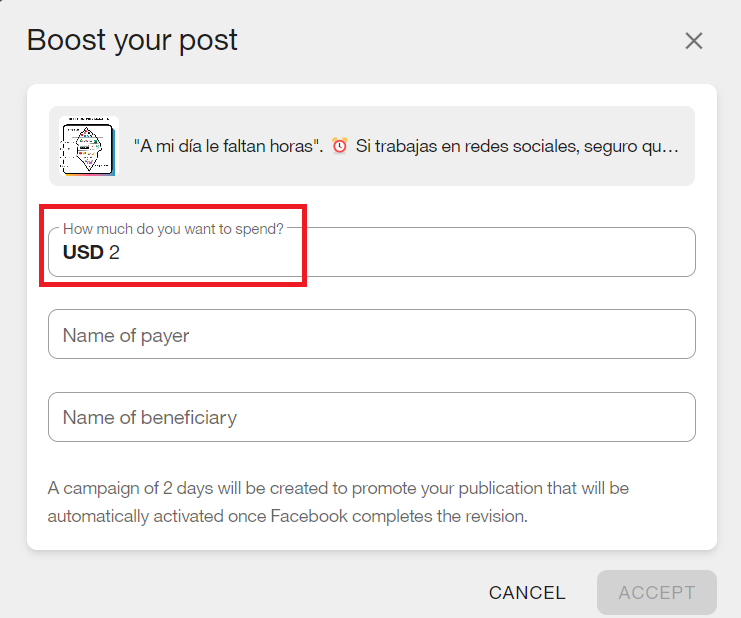
Fill in the required Beneficiary and Payer fields (required by EU regulations; they’ll auto-fill for future boosts if already set in your Meta Ads account).
Confirm and publish. The boost will activate immediately.
Beneficiary and payer fields are mandatory for EU and associated countries. If you’re in another region, enter any word to continue. See Meta details here.
➡️ Planning a new post
To boost a post while scheduling it, follow these steps:
Create your content in Metricool’s Calendar and select the publication date and time.
Go to the Facebook and/or Instagram settings.
Enter the amount you want to invest in the boost (minimum 2 units).
Save the post.
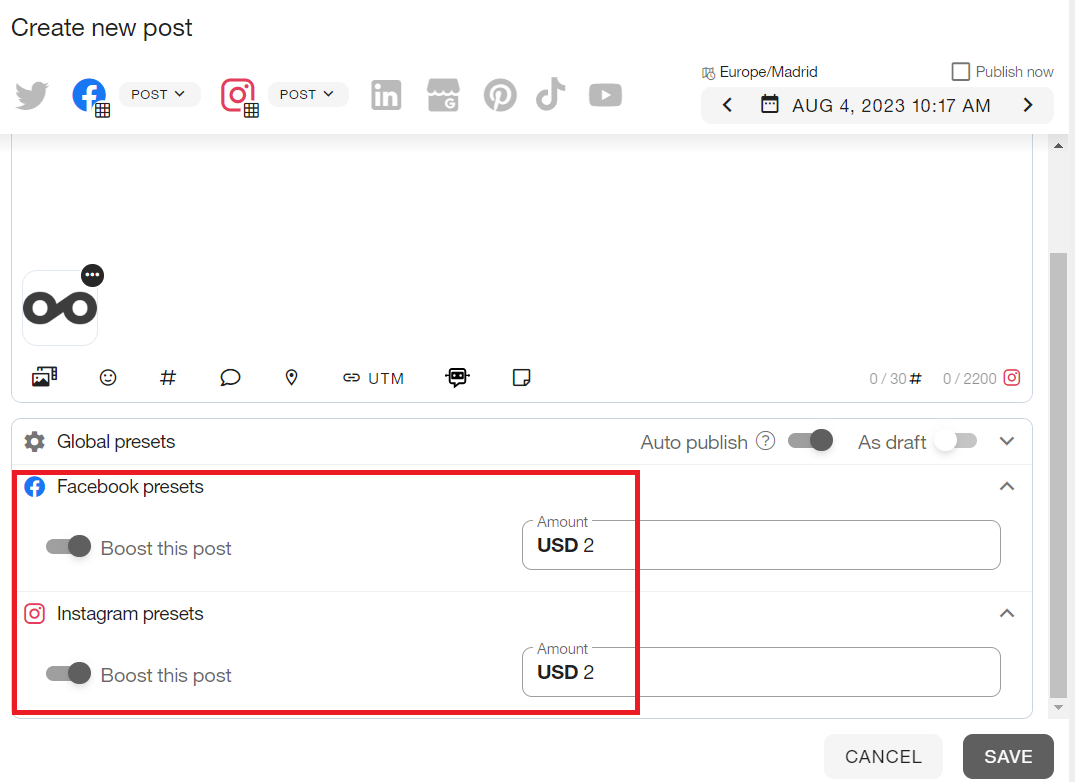
The charge will be applied when the post is published and the boost is automatically activated.
Why the minimum value is 2
The minimum amount of 2 units (for example, $2 USD or €2) is not a Metricool limitation, but a policy set by Facebook/Meta. This budget is automatically distributed over approximately 2 days (~1 unit per day) to expand your post’s organic reach through Facebook’s algorithm.
If you try to enter a value below 2, you’ll see the error message: “The minimum value to boost your post is 2”.
The boost currency depends on your Meta Ads account settings (USD, EUR, etc.). Make sure to check your currency before scheduling.
How to cancel a boost before it’s published
If you’ve scheduled a post with a boost but decide to cancel it before it’s published, follow these steps:
Go to the Calendar and locate the scheduled post.
Click the post to edit it.
In the Facebook or Instagram settings, remove the boost budget amount (set it to 0 or leave it blank).
Save the changes. The post will be scheduled without a boost and no charge will apply.
You can only cancel the boost before the post is published. Once published and the boost is active, the charge is processed through Meta Ads and can’t be canceled from Metricool.
Refund policy for boosts
Boost charges are managed directly through your Meta Ads account, not through your Metricool subscription.
If you need to request a refund for a completed boost, you’ll need to handle it directly with Meta/Facebook or contact our support team for guidance.
Differences between boosting and full ad campaigns
Boosts are a quick way to increase visibility for an organic post, but they have limitations:
Fixed duration: approximately 2 days.
No custom targeting: Facebook’s algorithm decides the audience.
Not editable: once activated, you can’t modify the budget or the post.
Minimum budget: 2 units in your configured currency.
If you need more control (age, location, interests, custom duration, etc.), we recommend using Meta’s full ad campaign tool available in Metricool. See Differences between boosted posts and ads for more details.