White Label for Agencies: Product Overview
🏷️ Build your Agency platform
🚀 We are thrilled to present Metricool's White Label for Agencies.
As a Community and Social Media Management professional, you can showcase your services within Metricool's dashboards using your own name, logo, and colors. Provide a solution that aligns with your goals and use Metricool to manage it. Assign as many brands as needed per client with custom roles, and track their activities to offer support. There's no need to build your own authentication system—this is a completely no-code solution—. In the following articles, we will explain its features in detail.
Let's start by reviewing how to access the White Label for Agencies menus.
📋📚📁
Different White Label access routes:
This set of features is included in our Custom plan.
🔍 Route 1:
⚙️ Main White Label customization: navigate to Menu > Whitelabel settings. This is where you transform your regular Metricool account into an Agency platform, ready to take on new clients and code-free.
In this window, you can customize logos, email details, clients, and role configurations. We explain this in detail in the first reference of this article.
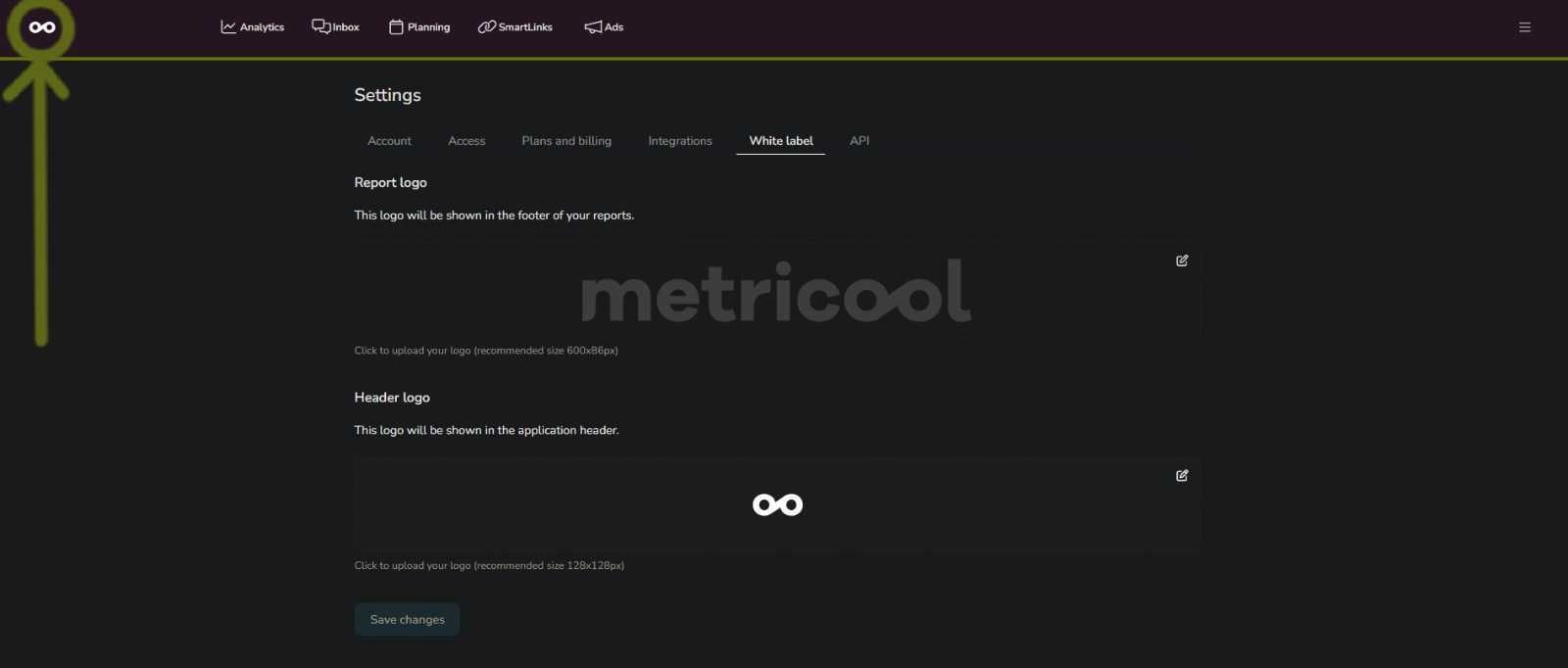
🔍 Route 2:
📋 This route is for complementary White Label settings. Go to Menu > Account Settings > White label. Here, you can customize Reports and the Header logo (located in the upper-left corner of your screen).