Ads Campaigns Management
Updated last week
Manage advertising campaigns in Metricool
In the top menu you can find the Ads section. From there you can see your campaigns on Meta Ads, Google Ads and TikTok Ads, and manage your Meta Ads and Google Ads campaigns.
Within this section you can see a table where you can see all the ad campaigns you have run .
Display Structure
Campaigns
(Ad) Groups
Advertisements
Keywords (Google Ads)
Recommendations (Google Ads)
How to manage your campaigns
In the top bar, you have the following options:
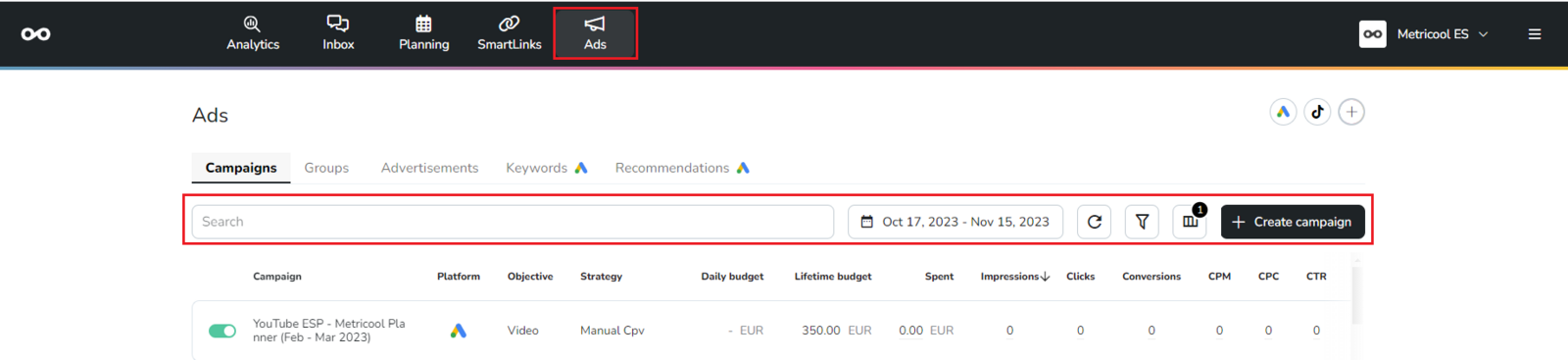
Search: You can search for campaigns by entering keywords.
Time Range: Select the dates you want to analyze.
Refresh: Update the displayed information.
Filters: You can filter by status (Active, Paused, and Removed), by platform (Meta Ads, Google Ads, and TikTok Ads), and by Objectives (Reach, Conversions, Registrations...).
Fields: Customize the columns you want to display (Platform, Objective, Strategy...).
Create Campaign: You can create new Meta Ads and Google Ads campaigns from Metricool. Check the step-by-step guide here.
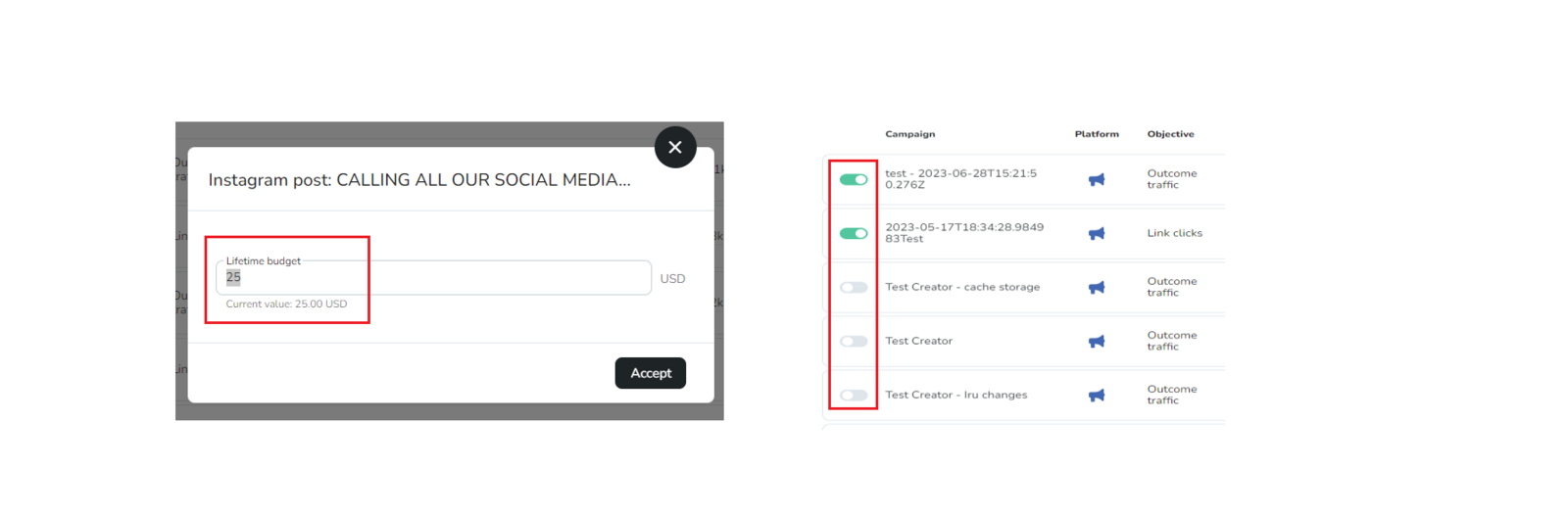
Additionally, for Meta Ads and Google Ads you can update the daily and lifetime budget per campaign or ad groups by clicking on the amount, as well as enable/disable campaigns, ad groups, and/or ads.
TikTok Ads campaigns are available for analysis only. You can't create, edit or pause them from Metricool. Manage them in TikTok Ads Manager.