
Inbox

Inbox Manager: How to manage messages and comments from Metricool

From Metricool, in the Inbox menu you can manage messages and comments from your social networks.

The Inbox is designed for reading and replying to messages and comments. Deleting or hiding comments and messages is not possible from Metricool — these actions must be done directly on each social network's app or website.

These are the types of messages you can reply to, by social network:

  • Facebook: comments and private messages.

  • Instagram: comments and private messages (main inbox).

  • TikTok: comments (only available in business accounts)

  • X (Twitter): private messages.

  • LinkedIn: comments (only available in company profiles).

  • Google Business Profile: reviews.

  • YouTube: comments on long and short videos.

👀 Good to know

  • Currently, the API connection does not allow responding to comments received on ads.

  • On Facebook and Instagram, the API limits responding to comments received within the last 24 hours and private messages up to 7 days after they are sent. This time limit applies only to replies — it does not enable deleting comments at any point.

At the end of this article, you’ll find troubleshooting guidance and frequently asked questions about managing messages and comments.

How it works

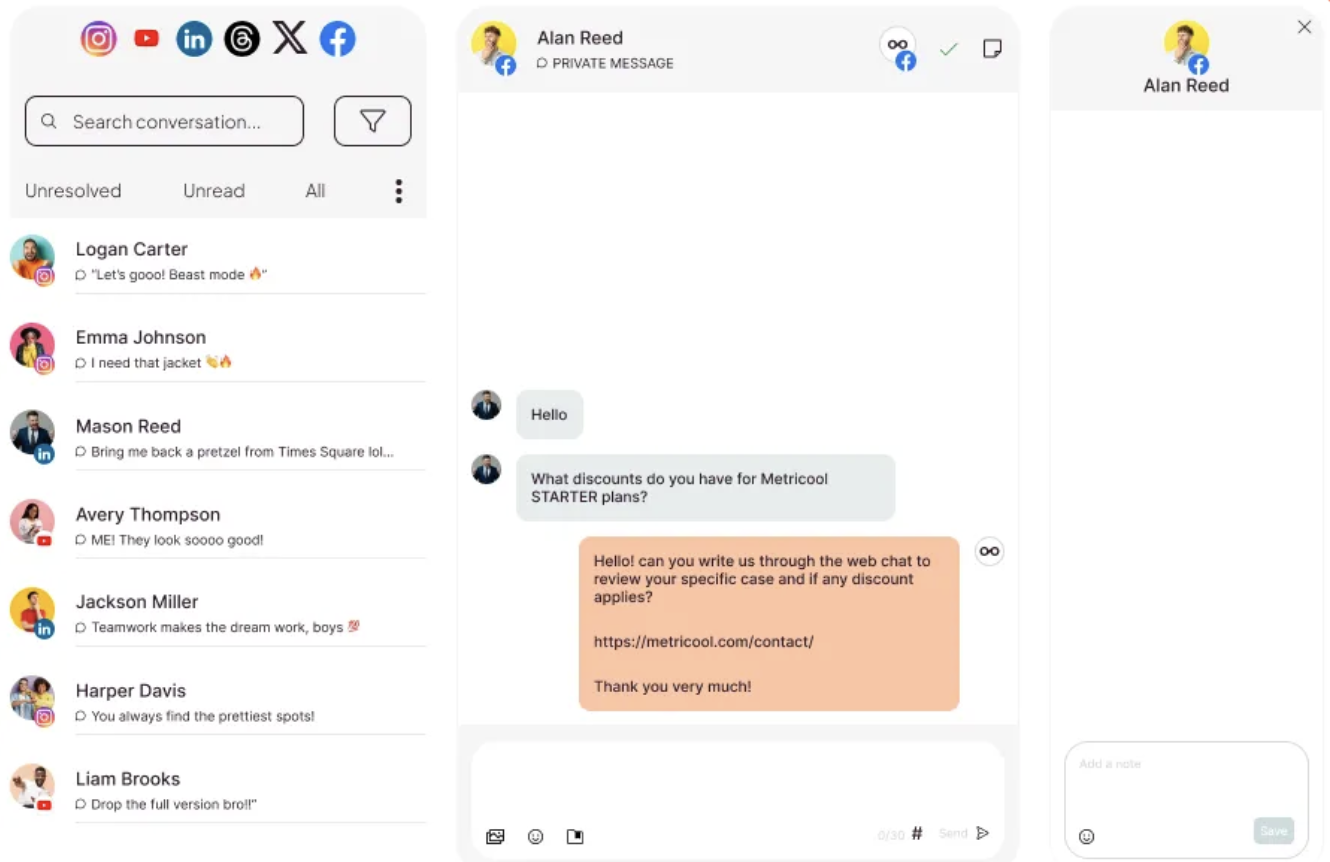
In the top menu you can find the Inbox section. Inside, you can see the messages grouped in three tabs:

  • Unresolved: all messages and comments from the social networks you have selected that are pending resolution. When you have marked it as resolved, by clicking on the check on the right, it will go to the "All" folder.

  • Unread: all messages and comments pending to be read. Once you read the message, it will disappear from this tab and will be displayed in "All".

  • All: all messages and comments from the social networks you have selected, whether or not they have been read or replied to.

To read a message you must click on it in the menu on the left and the conversation will open on the right. If it is a direct message, you will be able to consult the whole conversation, reply with text and emojis or send an image, video or GIF. If it's a comment, we'll show you the post first so you know which one received the comment. It will not be possible to view images except for responses to stories.

At the moment, we do not have the option to receive a notification when we receive a new post or comment.

Conversation Options

  • Direct Access to Entry: To go to the entry related to a conversation, click on the entry preview.

  • Preview View: The preview of a conversation entry collapses at the top when it is no longer visible.

  • Accessing the user's profile: Click on the avatar within a conversation to open the user's profile (if the social network allows it).
    -You can access the profile on: Instagram, TikTok, YouTube, and X (Twitter).
    -Direct profile access is not available on: Facebook, LinkedIn, and Google My Business.

Inbox filters

You can filter Inbox messages in three ways:

  1. By social network: you can activate and deactivate the networks from which you want to manage messages and comments.

  2. By message type: you can filter by comment, direct message or Google review.

  3. Search engine: with the search engine you can find a specific user.

Optimize your workflow adding notes in your messages. Check here all the details.

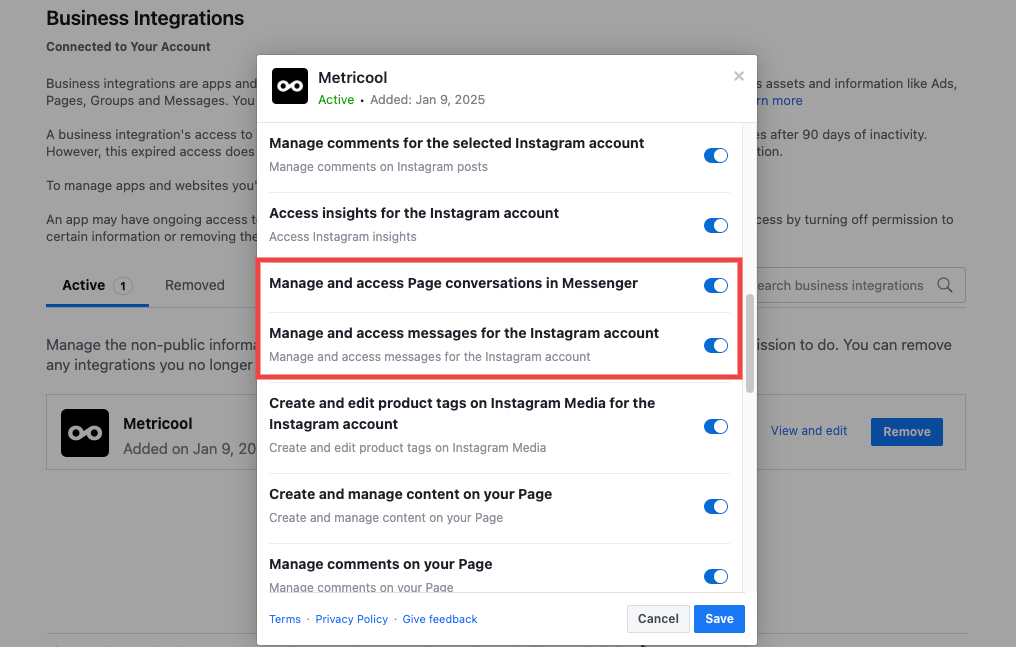
If comments or messages from a specific social network are not appearing in your Inbox, see Comments or messages not appearing in Inbox for a complete checklist of account-type restrictions, connection requirements, and filter settings by network.

FAQs

Why can't I reply to old Instagram or Facebook messages?

Meta APIs limit replies to:

  • Comments: up to 24 hours after publication

  • Private messages: up to 7 days after sending

After that time, messages appear in the Inbox but you can't reply to them from Metricool. You'll need to reply directly from the social network's app.

Note: This 24-hour window refers exclusively to the ability to reply. Deleting comments is not available from Metricool at any time.
Can I delete comments or messages from the Inbox?

No. Metricool does not allow deleting comments, replies, or direct messages from any social network. This applies regardless of how recent the comment is. To delete a comment, go directly to the platform where it was published (Instagram, YouTube, TikTok, etc.) and remove it from there.

Can I set up automatic replies in the Inbox?

No, Metricool does not support automatic replies or auto-reply templates. To speed up your work manually, you can use saved replies: reusable templates with text and tags that you can insert in seconds while typing. Learn how they work in Inbox: Saved replies.

Why don't I receive notifications for new messages?

At the moment, Metricool does not send push or email notifications when new messages or comments arrive in the Inbox. You need to check the Inbox manually from the web platform or the mobile app.

Can I assign conversations to team members?

No, the Inbox does not include message assignment or user tagging. All collaborators see the same Inbox shared by brand. To coordinate internally, use the notes feature to leave private comments on each conversation.

Can I reply to comments on ads or stories?

It's not possible to reply to comments received on Facebook and Instagram ads from the Inbox (API limitation). For stories, you can only reply to direct replies that arrive as private messages, not to public interactions.

Can I unify the Inbox of multiple brands?

No, the Inbox works per brand. You must switch brands using the top selector to see messages for each one. There's no unified view that groups conversations from multiple brands.

Is the Inbox available in the mobile app?

Yes, you can manage messages and comments from the Metricool app. If you experience loading issues or missing messages, try logging out and back in, or reinstall the app.

Was this helpful?