
WLA: Email Customization Parameters
🏷️ Add your communication style
📧 We have already explained how to customize your Agency's general settings here; now, let's talk about the communication channel with your clients. You will be able to customize the following aspects of your email communication.
✍️👥📩
⚙️ Customize the email access invitation. Edit your logo and add an introductory text that matches your communication style. To do this, follow Route 1 (Menu > Whitelabel settings) and look for the Mail configuration tab.
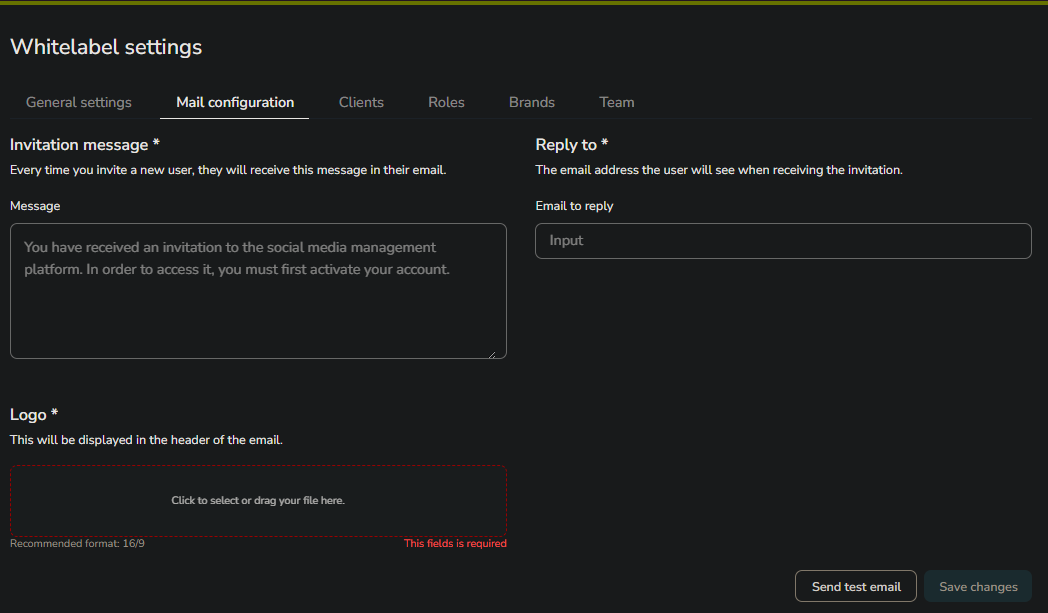
You can write an invitation as long as you wish, as there is no character limit. You can learn more about how this process looks from your client's perspective in the first reference of this article.
You also have the 'Reply to' field to add the email address where you want your clients to send their responses. This field will also be used when your clients reply to automatically sent reports—a feature found in the analytics dashboard under the Reports tab.
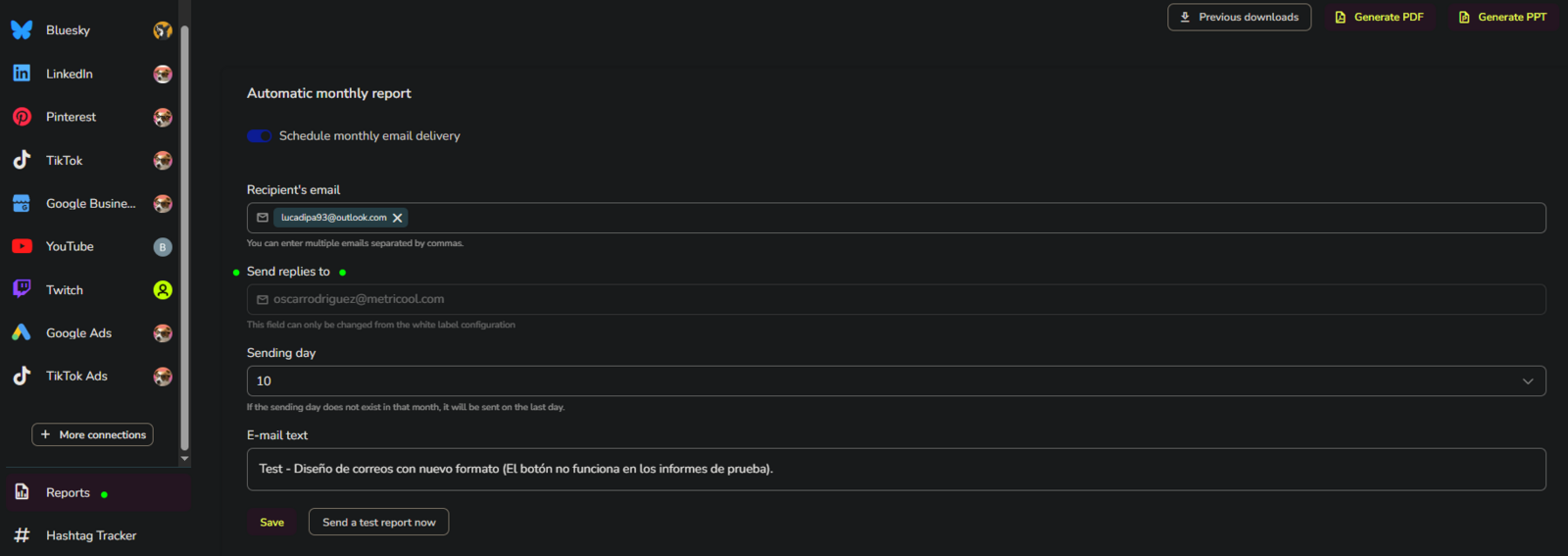
👩💻 But, who is the sender? During the trial period, the sender will be [email protected] (this cannot be customized during the trial). You can change this later through an SMTP configuration, which is explained in detail here. Don't worry, it's easy.
💾 Finally, in the lower-right corner of your screen (see the first screenshot of this article), you can send a test email as many times as necessary to verify that everything looks perfect. Once you're finished, don't forget to save your changes.