
Change API Key / Token in Data Studio
Updated 3 weeks ago
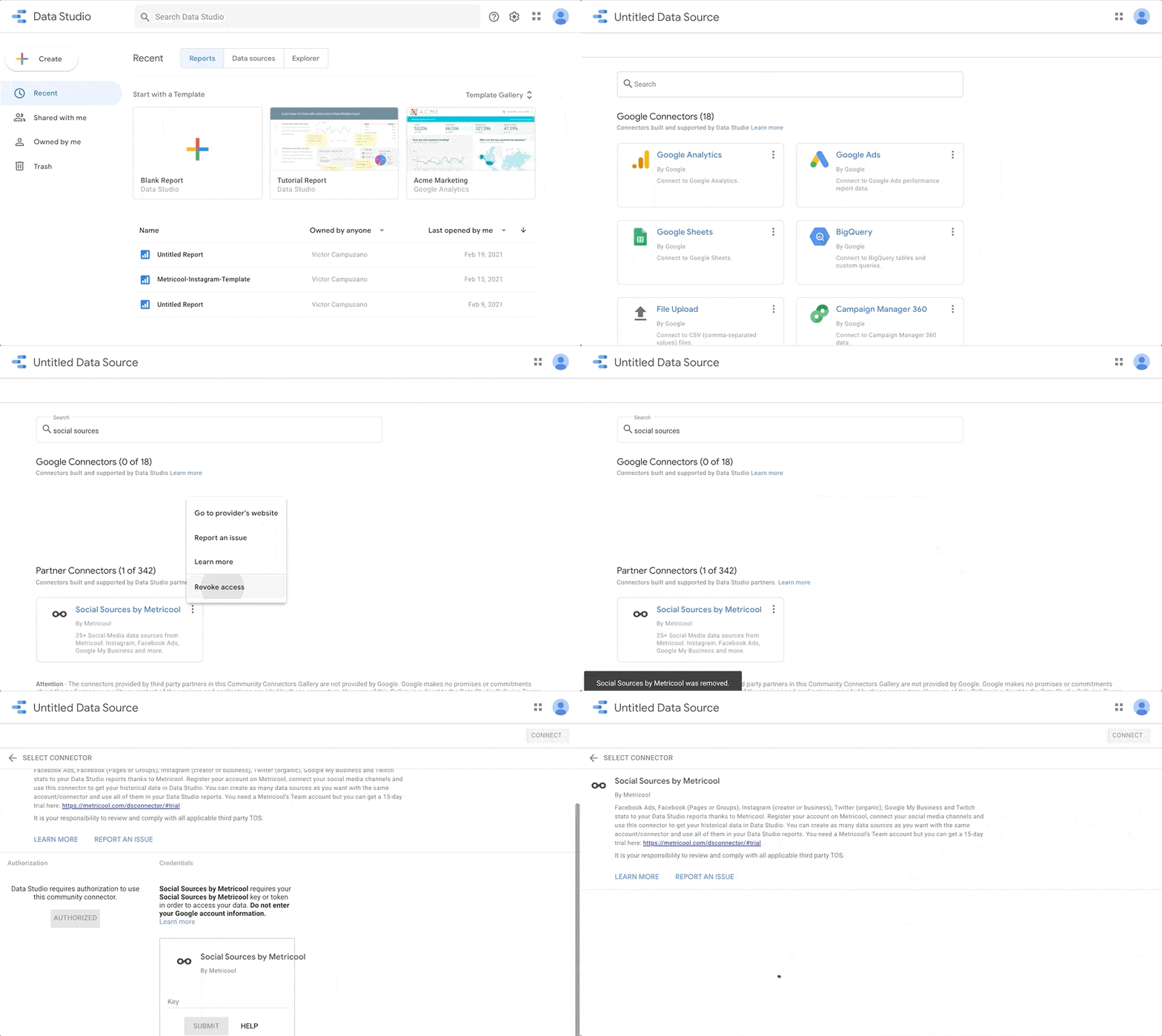
If you need to change the API Token associated with your Metricool Data Studio connector, revoking permissions is the only way to do so. After revoking permissions, you can return to the Metricool connector and insert the new API Token.
This process is necessary because Google only allows one access credential per account. If you want to use multiple Metricool API Keys, you must use multiple Google accounts.
Follow these steps:
Data Source.
Search for the Metricool Connector.
Click on the three vertical dots at the top right.
Revoke access.
Remove anyway.
Now you can log in again with the new credentials.
The Data Studio option is available for Advanced and Custom plans. Check out all our plans here.
Was this helpful?
Was this helpful?