
API Access: Export your Metricool data to other tools and automate tasks
Updated 3 weeks ago
The Metricool API lets you export your Metricool data to other tools and automate tasks like scheduling and publishing content. This article explains what the API is for, which plans include it, and where to manage it from your account.
What is the Metricool API for?
New to the API? Start with the Basic Guide for API Integration: it walks you from getting your token to your first API call.
The Metricool API allows you to do two main things:
Export metrics and comments to other tools like databases, CRMs, your own custom dashboards, or AI tools.
For example, you can use the API access to generate reports using our native Data Studio connector.
👉 What is Data Studio and where to find the API Key / Token
Automate tasks, like scheduling and publishing content through integrations.
You can set up automated workflows with tools like Zapier or Make:
👉 How to integrate Metricool with Zapier
👉 How to integrate Metricool with Make
Get your comments through the API
You can retrieve the comments from your Inbox through the API, for example to analyze them with an AI tool (sentiment analysis, recurring topics, etc.). Use the Inbox section of the API (/v2/inbox/post-comments), making one call per social network. For each comment, it returns the text, the author, the date and the post it belongs to.
Available for: Facebook, Instagram, LinkedIn and YouTube, and, in principle, TikTok.
Not available for: X, Threads, Pinterest and Bluesky, because they don't have comments in the Inbox.
Limit: you get the comments of the 50 most recent posts of each network (on YouTube, the 50 most recent comment threads of the channel). The limit counts posts, not dates, so on accounts that publish frequently, older comments are left out quickly.
MCP: comments are not available through the Metricool MCP, only through the API.
How to access and manage your API from Metricool
The Metricool API is available on Advanced and Custom plans.
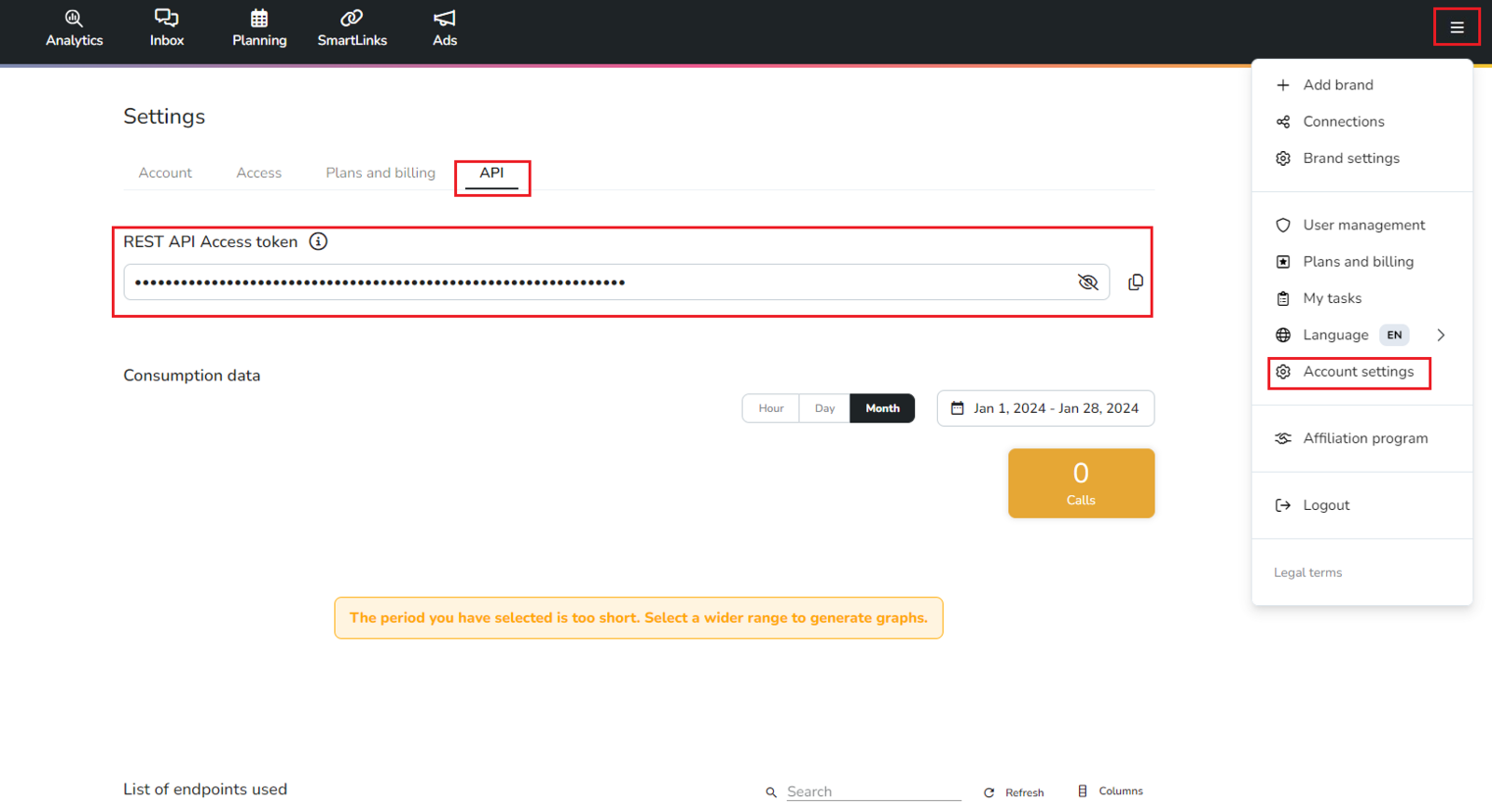
You can access it from your account at: Account Settings > API
From this section, you can:
Copy your API access token.
Monitor your current API usage.
View the history of endpoints used.
Access the official documentation directly from the ℹ️ info icon.
Technical API documentation
You have two resources available to explore the Metricool API:
Official documentation (online)
👉 https://app.metricool.com/resources/apidocs/index.htmlPDF guide (ideal if you prefer more details or to work offline)
📄 Download PDF guide
Follow the dynamic endpoints to extract the API call you want to make.
Need a step by step guide? Check this article Basic Guide for API Integration
Not sure whether to use the API or the MCP?
If you want an AI client to interact with your Metricool data using natural language, the Metricool MCP is the better fit. If you need to export data or automate tasks programmatically with external tools, use the API. See the full comparison in MCP vs API access: what is the difference?.