
Schedule and Post on TikTok
Updated 3 months ago
You can schedule and automatically publish your TikTok videos from Metricool for personal and business accounts. If you haven't connected TikTok yet, connect your TikTok account first.
To publish automatically, the AUTO PUBLISH button must be enabled.
Auto-publish vs. manual publishing
Auto-publish works for most posts. Choose manual publishing when you need features not available via the TikTok API, such as adding effects or music outside TikTok's Top 100 trending songs.
Good to know
AI-generated content option is available for video posts only (not photos)
The TikTok API does not support line breaks, so it will not be possible to separate paragraphs.
Privacy options will be displayed if activated on the TikTok account.
The available TikTok presets vary depending on whether your account is personal or business.
TikTok may remove or mute the audio of your videos for various reasons, mainly related to copyright infringements or violations of Community Guidelines. See more details here.
Multimedia Content Requirements
You can publish video or photo (carousel with up to 35 images is supported).
Requirement | Video | Photo |
|---|---|---|
Format | MP4 (recommended) or MOV | JPEG or WebP |
Size | Up to 500 MB | Up to 20 MB per image |
Duration | 3 seconds to 10 minutes (auto publish) | — |
Resolution | From 540px | Up to 1080p |
Audio bit rate | 128kbps recommended | — |
Notes | — | PNG files are auto-converted since the API does not support them |
How to schedule your TikTok video or photo
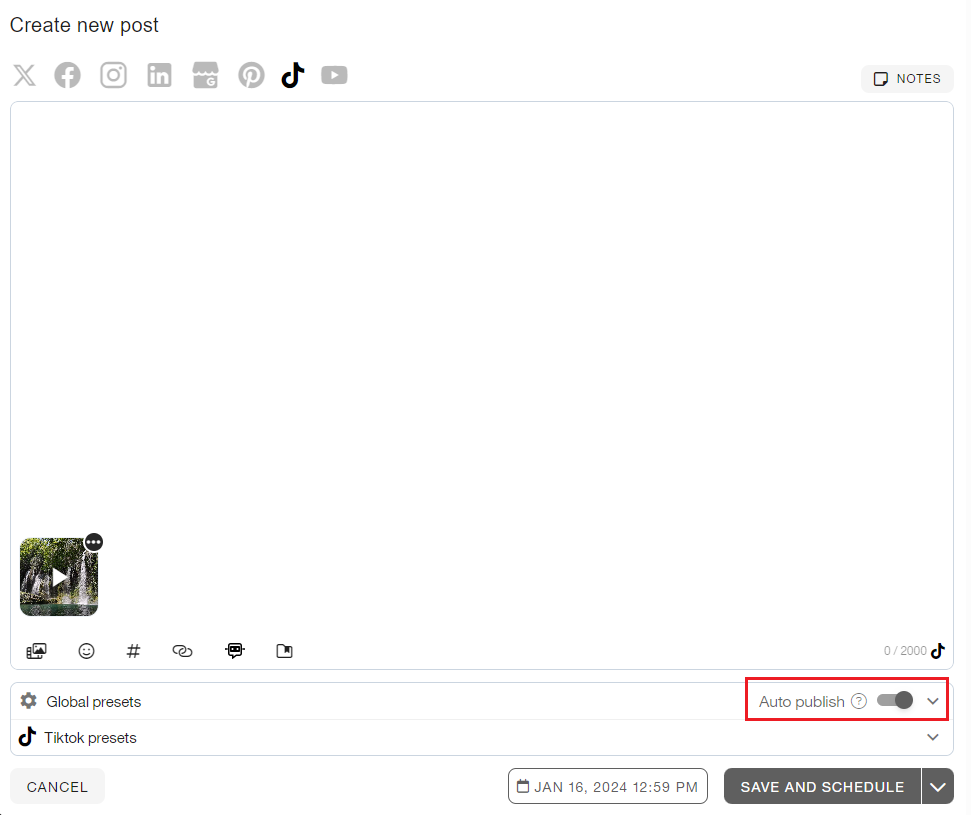
Go to the Planning tab in the top menu and follow these steps:
Click on "+ Create new post" and select TikTok.
Upload the photo or video. You can add a cover by selecting a video frame or choosing an image from the carousel.
Add the copy. You can add mentions with the @ symbol or hashtags.
Remember that the TikTok API does not support line breaks; separating paragraphs will not be possible.
In Global presets, activate the auto publish button. You can also enable the URL shortener and select Smartlinks.
In TikTok presets, customize privacy options and other settings. The available options depend on whether your account is personal or business:
Select privacy from the dropdown to determine who can see the publication:
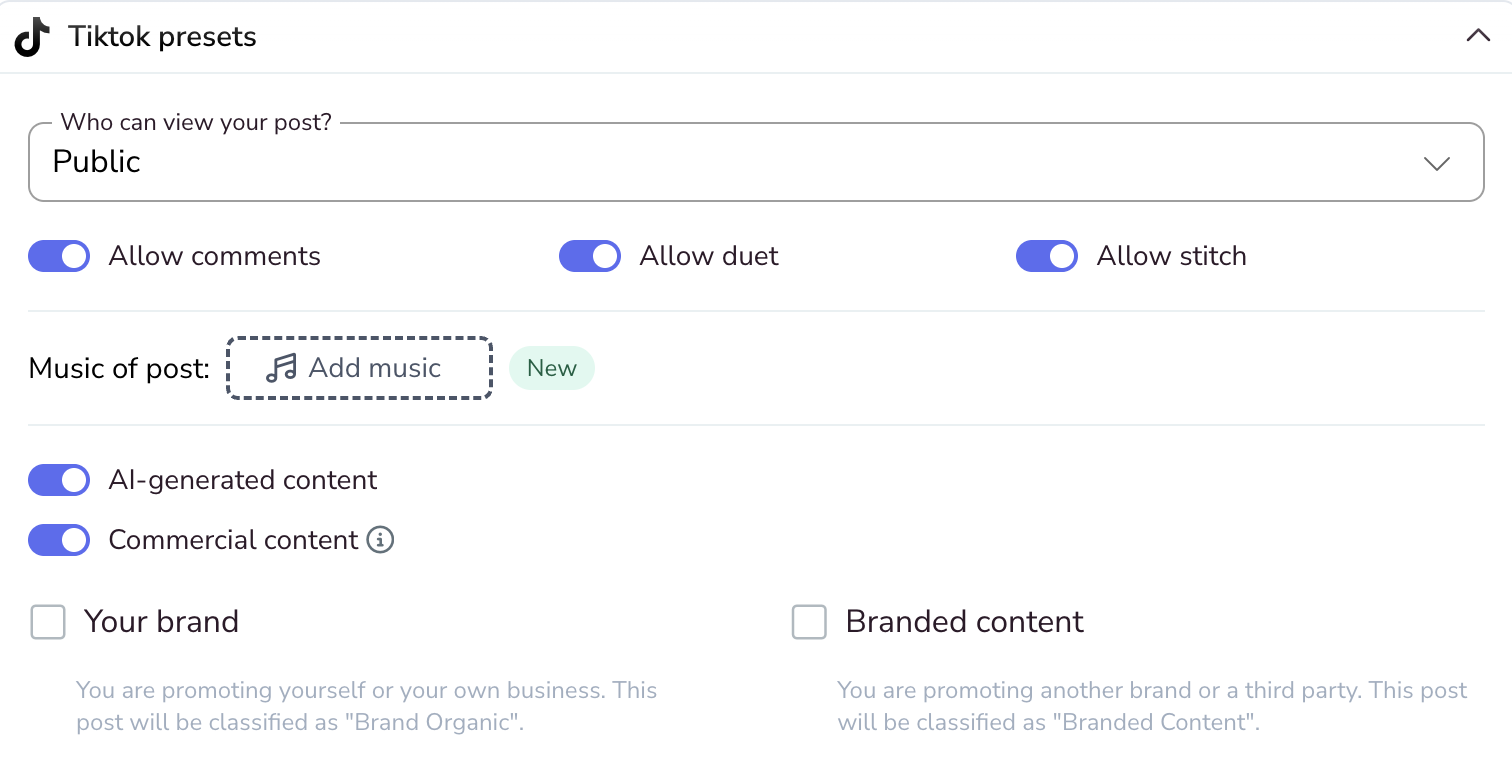
Public: Anyone can view this post.
Friends: Only followers that you follow can view this post.
Only me: Nobody can view this post.
Set up additional settings depending on whether your content is video or photo:
Allow comments: Allows users to comment on the post.
Add music: Business accounts can add TikTok's Top 100 trending songs. Personal accounts can only add random music to photos. See how to add music to TikTok here.
Allow duet: Allows you to post your video side-by-side with a video from another creator on TikTok.
Allow stitch: Allows you to combine another video on TikTok with one you're creating. If you allow another person to Stitch with your video, they can use a part of your video as a part of their own video.
Commercial content: Turn on this toggle to disclose that this post promotes goods or services in exchange for something of value. When enabled, choose one of the following options:
Your brand: You are promoting yourself or your own business. This post will be classified as "Brand Organic".
Branded content: You are promoting another brand or a third party. This post will be classified as "Branded Content".
AI-generated content: Turn on this toggle to indicate that the post has been generated with artificial intelligence. This option is supported only for video posts, not photos, and is available on both personal and Business TikTok accounts, on web and mobile.
Select the time and day and save the publication.
For more details, refer to the article "How to schedule content from the calendar."
Manual publishing
Disable the AUTO PUBLISH button to publish manually. At the scheduled time, Metricool sends you a notification to finish the post directly in the TikTok app.
For the complete step-by-step process, see How to manually publish via notification.
Having trouble publishing? If your TikTok post fails to publish, doesn't upload correctly, or you're unsure about content types, see our TikTok troubleshooting guide.