
WLI: Common Errors during iframe/API Integration
Updated 2 weeks ago
🔗Common errors and troubleshooting
If you're having troubles not covered in this article, don't hesitate to contact our support team via the live chat enabled in the lower-right corner of your browser when logged in to Metricool.
Iframe relates
1. White Label Autoin Token URL vs Metricool API Token
You can distinguish two types of tokens on Metricool:
The first token is added as an access key to the autoin link used to create the iframe in your client's account. This token is unique to each brand created for your White Label integration. Here is an example of the general structure of an autoin link for iframe creation:
https://app.metricool.com/autoin/[WL_TOKEN]?redirect=/plannerYou can get this "White Label Token" by navigating to Menu > Brand Settings > White Label and selecting one of the two available access URLs. The token is unique and varies according to each brand created. You can also automate the creation of the autoin link with the access token by performing a Get type request to our API (you can find the documentation here). Here is an example:
and
https://app.metricool.com/api/admin/profile?blogId=&userId=&refreshBrandCache=falseThe second token is a general access key to our API, specified for your Metricool account, and not for the White Label integration. This Token enables Metricool integration with Data Studio, Zapier, Make, or Canva, as with many other tools that support an API connection and are developed on your end. You will find it in the Menu > Account Settings > API.
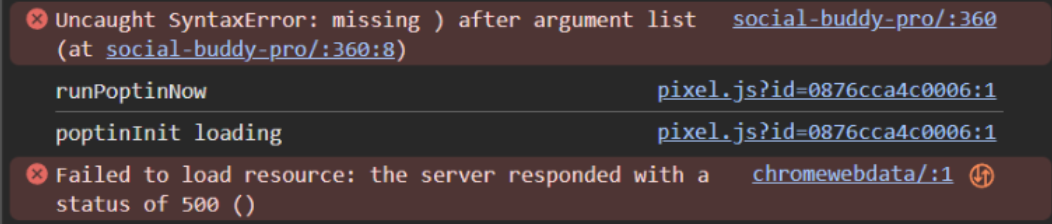
If you use this last token as the access key in the autoin link, the iframe will not be displayed in your product, and a syntax error will appear in your console.
2. Errors: Referrer Policy; Content-Security-Policy: frame ancestor
A common concern with Content Security Policies (CSP) and the "frame-ancestors" attribute. This error occurs when your web server attempts to load a page or iframe that violates your security policies. When checking the console, you will find an error as shown:

To fix this, add the Referrer Policy attribute to your iframe, before the source (src). Here is an example:
<iframe referrerpolicy="origin" src="https://app.metricool.com/autoin/xxxxxxxxxxx" …………></iframe>3. Mix sessions
If you keep both the main Metricool account (the one you used to make the payment) and your product account (where you insert your *iframe) *open in the same browser, the information from both will be mixed up. Furthermore, you might encounter redirection errors. To avoid this, make sure you always open both accounts in different browsers, or open one of the two in a private (incognito) browsing window in your working browser.
API relates
1. CORS
Authenticated calls to the Metricool API include the X-Mc-Auth header and Content-Type: application/json, which forces the browser to send a preflight OPTIONS request first.
Our API responds 403 Forbidden to that preflight because it isn't meant to be called from arbitrary browser origins. Route the call through your own backend proxy so the browser treats it as same-origin and no CORS preflight is triggered.
2. Endpoints troubleshooting
The following tables are also listed in the articles that explain how to use endpoints to create/delete a new brand/profile or add new schedules to the calendar.
Both are attached as references at the bottom of this article.
Brand creation endpoint
For GET /admin/add-profile:
Symptom | Cause | Fix |
|---|---|---|
| Missing access key | Add the access token ( |
| There's no more room for another brand, or a collab is trying to create a new one | Check the maximum number of brands isn't reached yet. Remember only the master account can create new brands by using the API. |
Scheduler endpoint
For POST /api/v2/scheduler/posts:
Symptom | Cause | Fix |
|---|---|---|
| Missing access key | Add the access token ( |
| Arbitrary browser calling Metricool's API directly triggers a CORS preflight, which Metricool rejects | Route the call through your own backend proxy |
|
| Make sure the date/time is in the future and that |
| Client code called | Read the response with |
Token visible in page source |
| Move all credentials to the backend proxy and read them from environment variables |