
WLI: Checking our API (important considerations)
Updated last week
🔗Getting ready for the Metricool integration
This article should be consulted if a White Label for Integrators product is activated (learn more here).
In what follows, a summary of how to open for consulting documentation of our API, useful endpoints routes for Integrators, and some examples in how to use them.
... it's important to consider
This article extends the overview in the existing API documentation and explains how to check endpoints statically rather than dynamically. An explanation of API dynamic consulting is provided in item 1 in the list of references below.
Some other integrations you might find useful to improve your workflows, besides the iframe/API Integration, are explained in the second item.
A basic explanation of API general concepts can be found in item 3. In the same article, at the bottom, you will find our Technical documentation, which, if you have already checked and know how it works, is attached as items 4 and 5 in the list.
List of references:
The following explanation uses item 4 as the base example, using Swagger. For Postman applications, check item 5.
1. Opening the documentation
Download the
swagger.jsonorswagger.yamlfrom item 4.Go to editor.swagger > Open file > Import file > and select the file you downloaded in the previous step.
You should see API documentation as shown in the following screenshot:
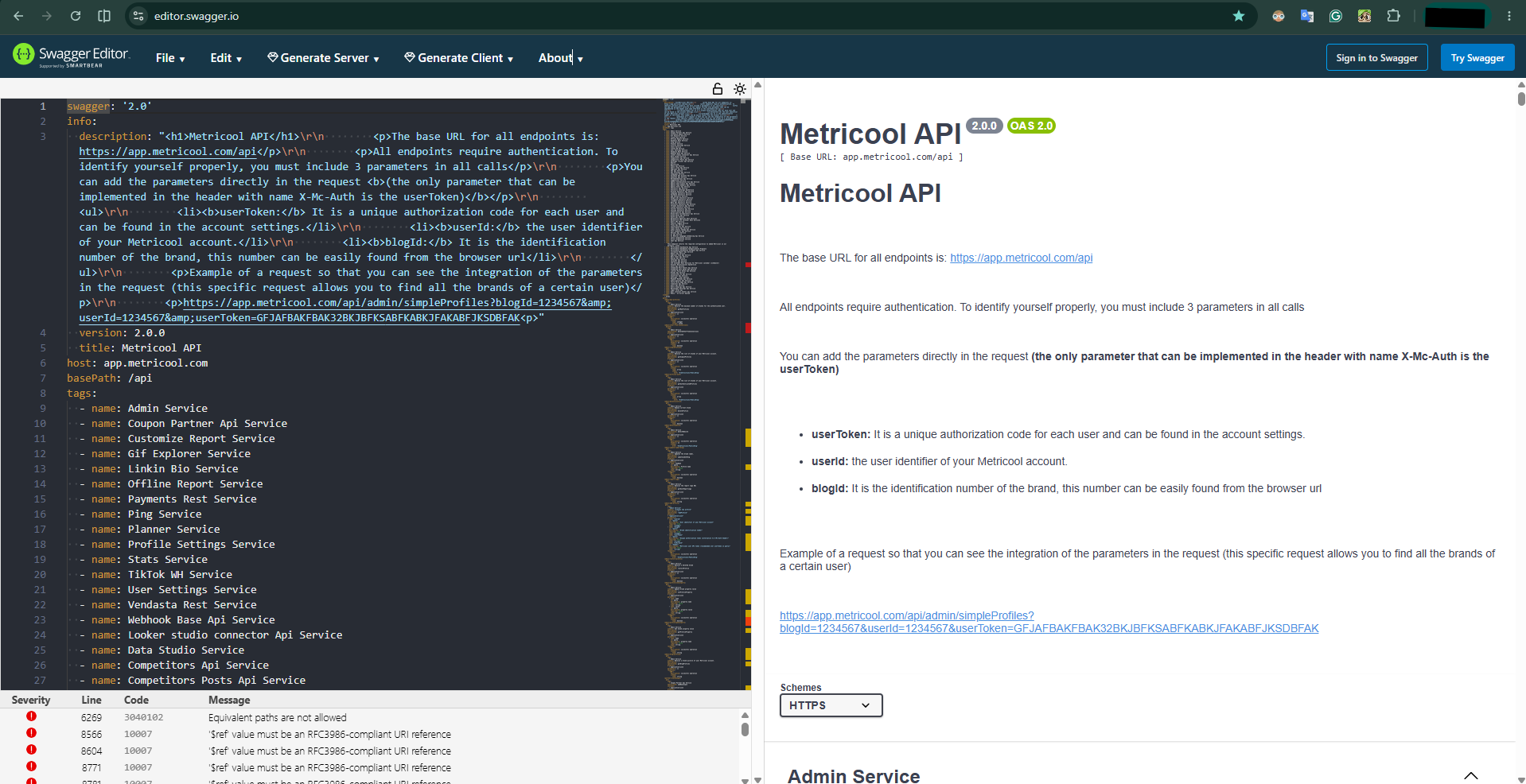
From now on, every mention towards our API documentation will refer to either of those two files opened from Swagger.
If you work with an AI client, you can use this document as context.
2. Useful endpoints routes for the White Label Integration product
Remember to use Ctrl+F to navigate smoothly through the documentation, and for that purpose, we present a list of the most commonly used endpoints for Integrators:
Table A: Useful endpoints routes for copy-pasting
Endpoint | Description |
|---|---|
| Brand (or profile) management. Here you can add, delete, edit, or consult info about brands created for your end-clients |
| For everything related to the calendar. This is one of the most enriched sections in our documentation in terms of the total number of endpoints |
| Services and catalogs for retrieving all the available information in our analytics dashboards |
| For creating customized reports and checking metrics over a specified period of time |
| Competitors metrics |
| All services related to the Inbox, including inbox notes, post-comments, and conversations |
| Made for working with the existing report service |
| Manage your smart-links |
| Performance dashboards for campaign information |
Remember the base URL for all endpoints is: https://app.metricool.com/api
3. Illustrated application on how to use our API
The following example illustrates the minimum requirements for creating the Metricool White Label Integration based on an ideal configuration. It also explores the most frequently asked endpoints and their details.
Please note this example is for illustration and testing purposes only and is not meant to be treated as a real application.
WLI: Brand creation endpoint — example on a custom backend proxy
WLI: Scheduling endpoints — example on a custom backend proxy