
Why Doesn't Promoted Post Data Appear on Instagram?
Updated 2 weeks ago
Instagram switched from Impressions to Views, and that also affects how promoted data is shown. Full details here 👉 Instagram replaces “Impressions” with “Views”: What you need to know
Promoted Post Analytics in Metricool
Unlike Facebook, where promoted post data automatically appears in the organic post analytics, Instagram requires you to connect your Meta Ads account to see this information in Metricool.
If you’ve promoted a post on Instagram and don’t see the data reflected in Metricool, check the following:
Check How Instagram Is Connected
Paid metrics aren't available when Instagram is connected with Instagram login (username and password).
To see promoted data, connect Instagram through Facebook and connect your Meta Ads account to the brand.
To check which connection you have and how to switch, see Access to Instagram from Metricool: connection types and differences.
Make Sure the Connected Meta Ads Account Is Correct
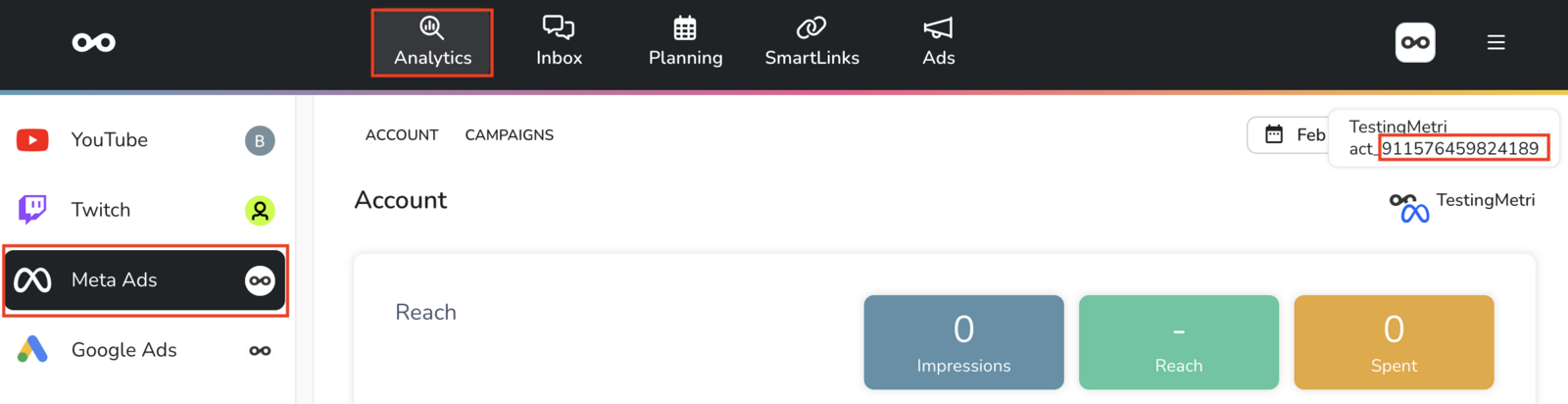
For promoted data to appear in Metricool, the connected Meta Ads account must be the same one used to promote the post.
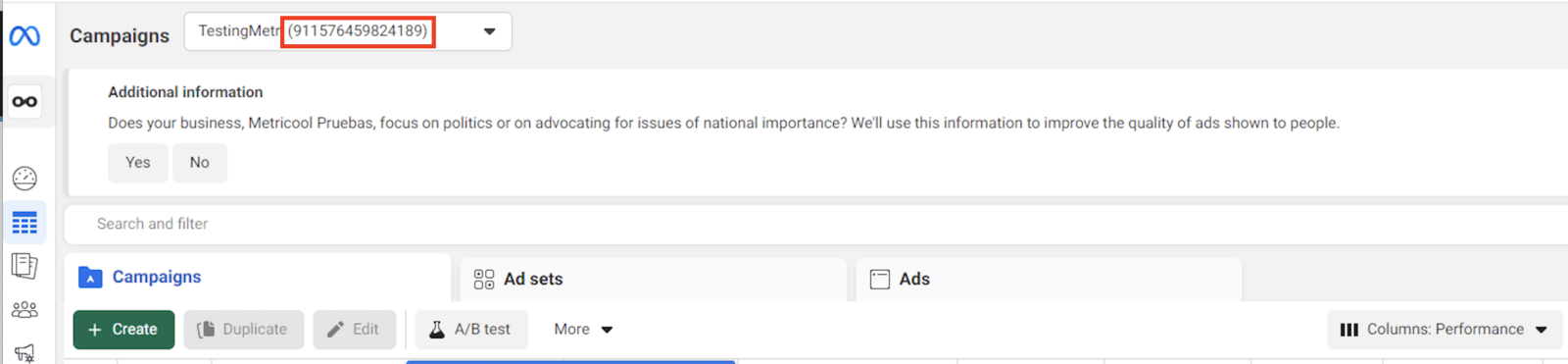
Check that the Meta Ads account ID in Metricool matches the one managing the ads.
If they don’t match, you’ll need to connect the correct account to sync the promoted data with the organic post.
Check the Data Inside Instagram
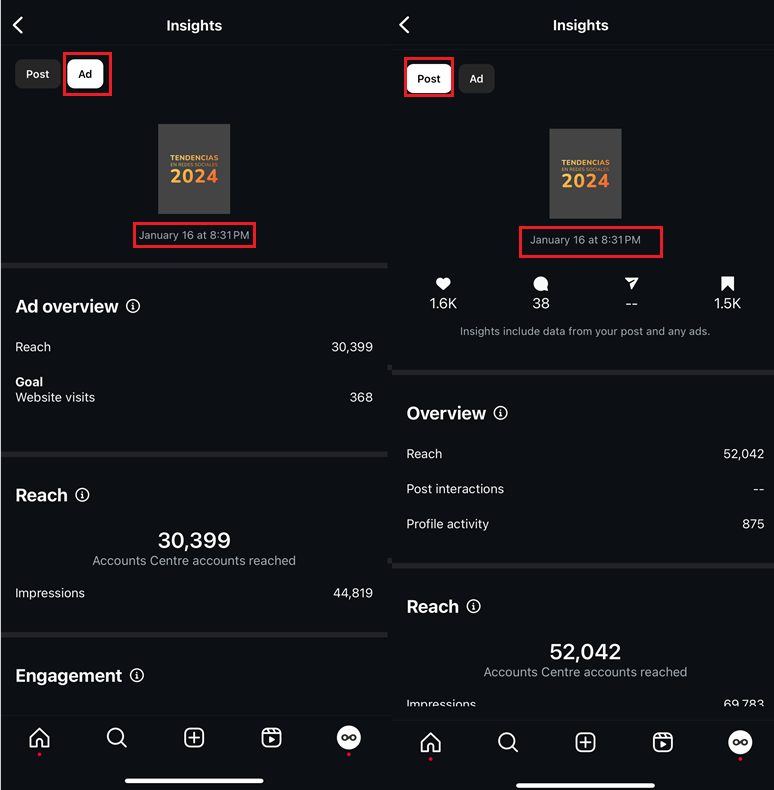
Instagram has separated organic and promoted data. We recommend checking this division within Instagram to confirm that the post has promoted stats.
Check If the Post Is Part of an Ad Campaign
If you added additional targeting or advanced settings to the promotion, it is no longer considered a promoted post—it becomes an ad campaign instead.
In this case, promoted data won’t appear alongside the organic post in Metricool.
To check its performance, you’ll need to review the Meta Ads analytics in Metricool.
Promoted Posts vs. Meta Ads: Learn the Differences in This Article: Differences Between Boosted Posts and Ads