WLI: Brand connections for end-clients through API
Updated today
🔗Anonymous Link for Connection setting
This feature is available for Integrators only.
Use this endpoint if you need your clients to make their own connections.
POST /v2/settings/brands/connections/anonymous-link creates a shareable link that lets whoever holds it connect social accounts to a specific brand — the same link offered in Brand Settings > Connections — without that person ever needing a Metricool account.
GET on the same path returns whichever link is currently valid for the brand. Only one link is active per brand at a time: creating a new one immediately invalidates the previous one.
Endpoint reference
This endpoint requires the Advanced plan or higher. On a lower plan, or if the calling user can't edit the brand, both GET and POST return 403.
Both calls use the same URL and only need the standard authentication query parameters — no request body.
1. GET — retrieve the current link
GET https://app.metricool.com/api/v2/settings/brands/connections/anonymous-link?blogId={blogId}&userId={userId}Response | Meaning |
|---|---|
| A valid link exists; returned in |
| The brand has no valid link yet |
| The user can't edit the brand, or the plan is below Advanced |
2. POST — create or regenerate the link
POST https://app.metricool.com/api/v2/settings/brands/connections/anonymous-link?blogId={blogId}&userId={userId}Response | Meaning |
|---|---|
| Link created; any link previously issued for the brand stops working immediately |
| The user can't edit the brand, or the plan is below Advanced |
| The link was created but its expiration date couldn't be read |
Both 200 responses share the same body shape:
{
  "data": {
    "link": "https://mtr.cool/AB3XY9Z",
    "expiresAt": {
      "dateTime": "2026-09-03T13:36:39",
      "timezone": "Europe/Madrid"
    }
  }
}
If the account has a white label domain configured, link is returned on that domain instead of Metricool's default (mtr.cool).
Calling GET before a link exists returns 404
A brand starts out with no anonymous link at all — including one you've just created through admin/add-profile. Calling GET at that point doesn't return an empty result; it returns 404 with Metricool's standard not-found body:
{
  "status": "NOT_FOUND",
  "code": "404",
  "detail": "404 NOT_FOUND"
}
Call POST first to generate the initial link. From then on, GET returns 200 with that same link until it expires or a new POST replaces it.
What the recipient sees
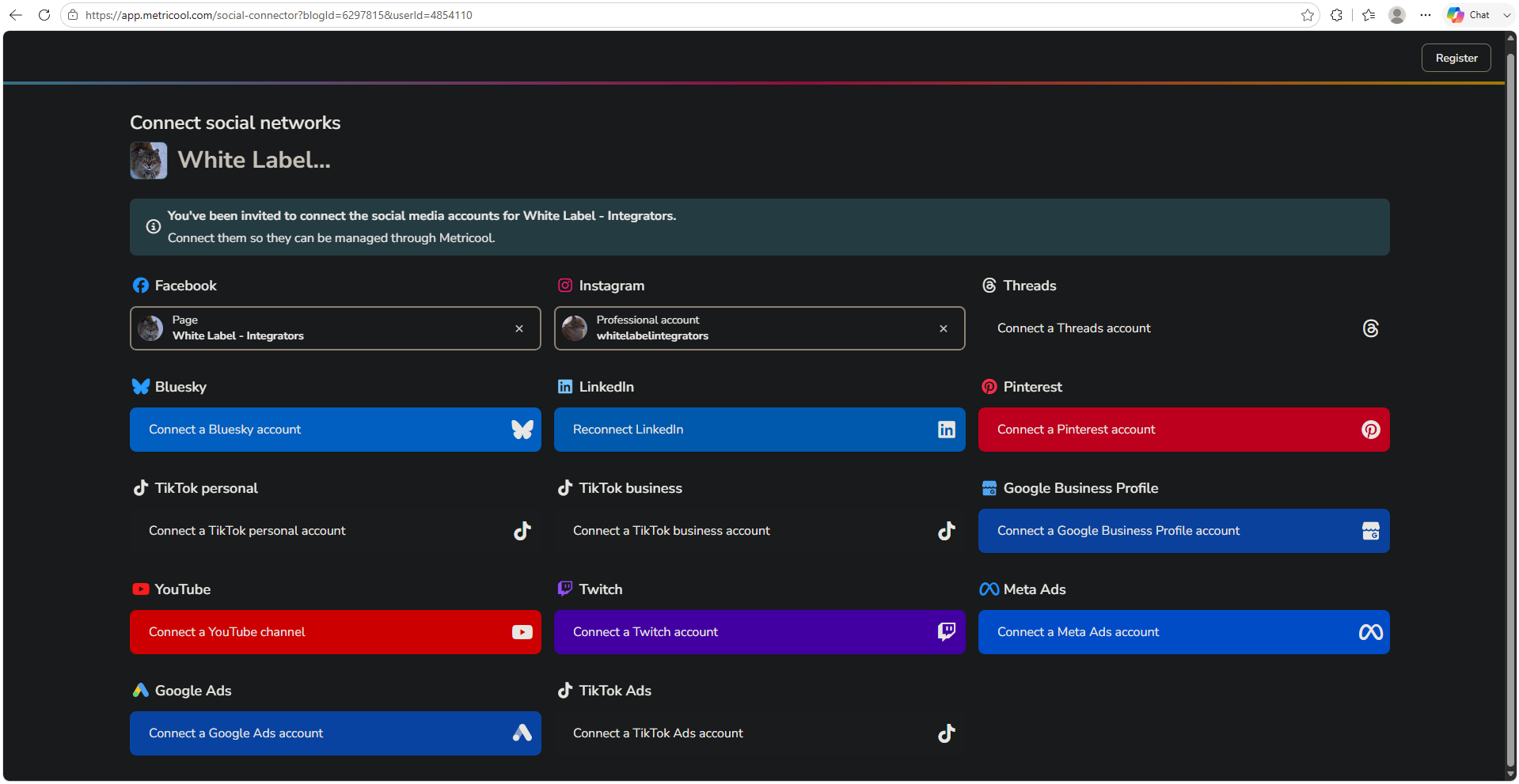
Opening the returned link takes the recipient straight to Metricool's connections page for that brand (/social-connector?blogId={blogId}&userId={userId}) — no login required.
It shows the brand's name, an invitation message, and one button per supported network: Facebook, Instagram, Threads, Bluesky, LinkedIn, Pinterest, TikTok (personal and business), Google Business Profile, YouTube, Twitch, Meta Ads, Google Ads, and TikTok Ads.