Match your case below to fix a Facebook connection: the page doesn't appear in the list, the wrong page connects, the connection worked before and now fails (expired access), you're connecting from the iOS app, or the page is managed in Business Manager.
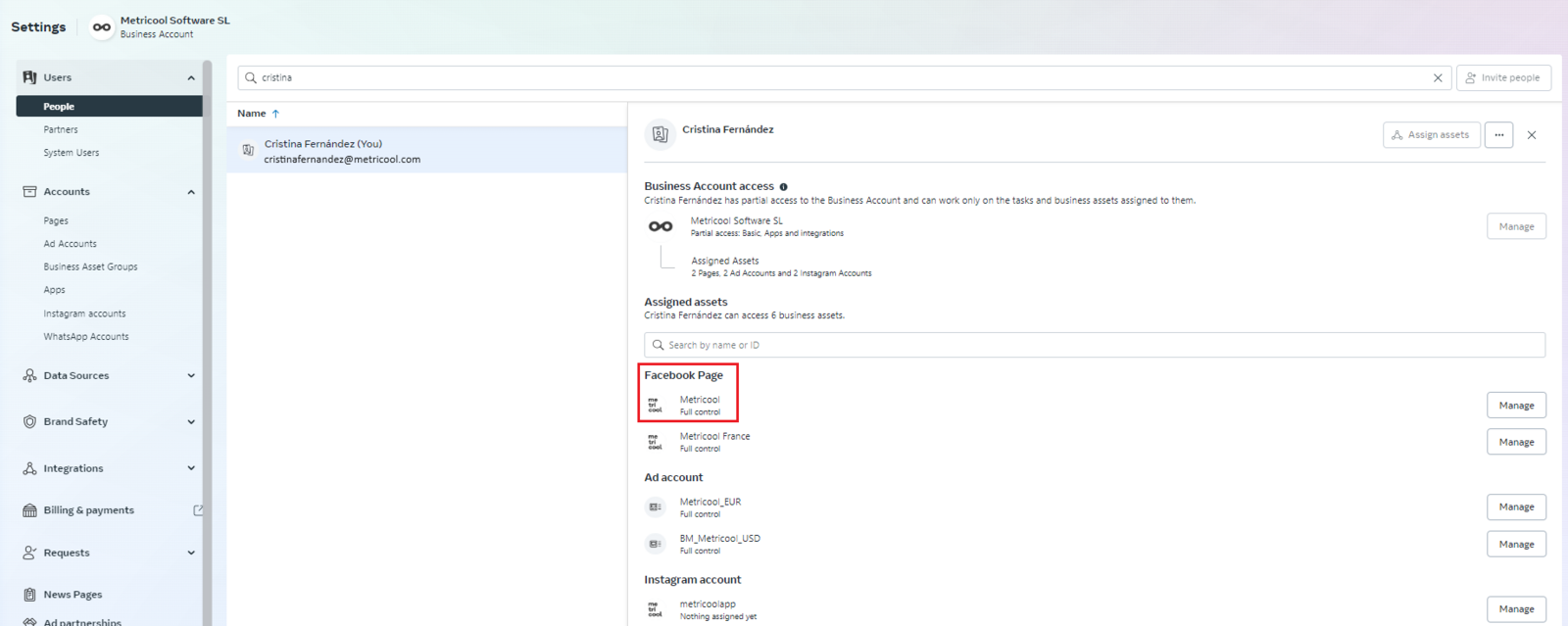
If you manage the page from Business Manager, you need "Full Control" permissions on the page. More details on how to validate your permissions in Meta Business Manager Permissions.
You won't be able to add a Facebook Page if you don't grant Metricool all the requested permissions.
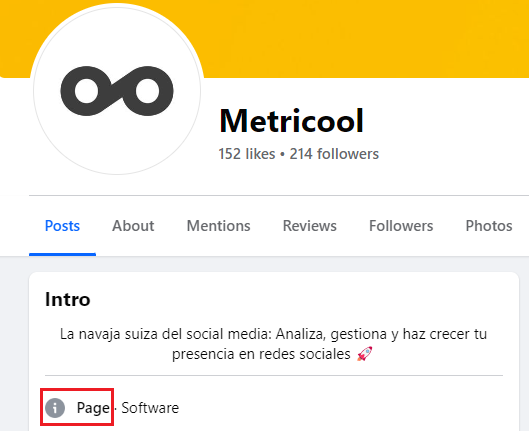
Facebook personal profiles, even those in professional or creator mode, are not supported due to limitations set by Facebook. You can only connect pages managed by a personal profile. You can confirm this in the details of the public page.
To manage other Meta-linked connections, the same Facebook administrator profile must have access to Instagram and the Facebook ads account in Business Manager.
Page Not Appearing in the Options List
This usually means Facebook is logged in with a different profile than the one that administers the page. Connect with the page's admin profile:
Return to Metricool and start the connection again. When Facebook asks for credentials, log in with your personal Facebook administrator profile. A list of all the pages you manage from that profile appears for you to choose which one to connect.
You can also repeat the process from an incognito browser window.
How to check if your Facebook Page is linked to a Business Manager
An agency, a collaborator, or even you at some point may have linked the page to a Business Manager. This can prevent you from connecting the page in Metricool even if you are an admin.
How to check:
Go to business.facebook.com
Under Business Settings > Accounts > Pages, check if your page appears listed
If you don't have access to any BM, ask the other page admins to check from their accounts
If the page is inside a BM you don't have access to, you'll need to ask the BM owner to either add you as a user or unlink the page.
Metricool connects the wrong page
If the connection picks a different page than you expected, Facebook was authorized with the wrong profile. Disconnect the wrong page and reconnect with the admin profile of the page you want:
Open the connections dashboard and disconnect the wrong page by clicking the X next to its name.
Log out of Facebook, then start the connection again from Metricool and log in with the personal profile that administers the correct page.
Select the page you want from the list of pages you administer.
Permission Renewal
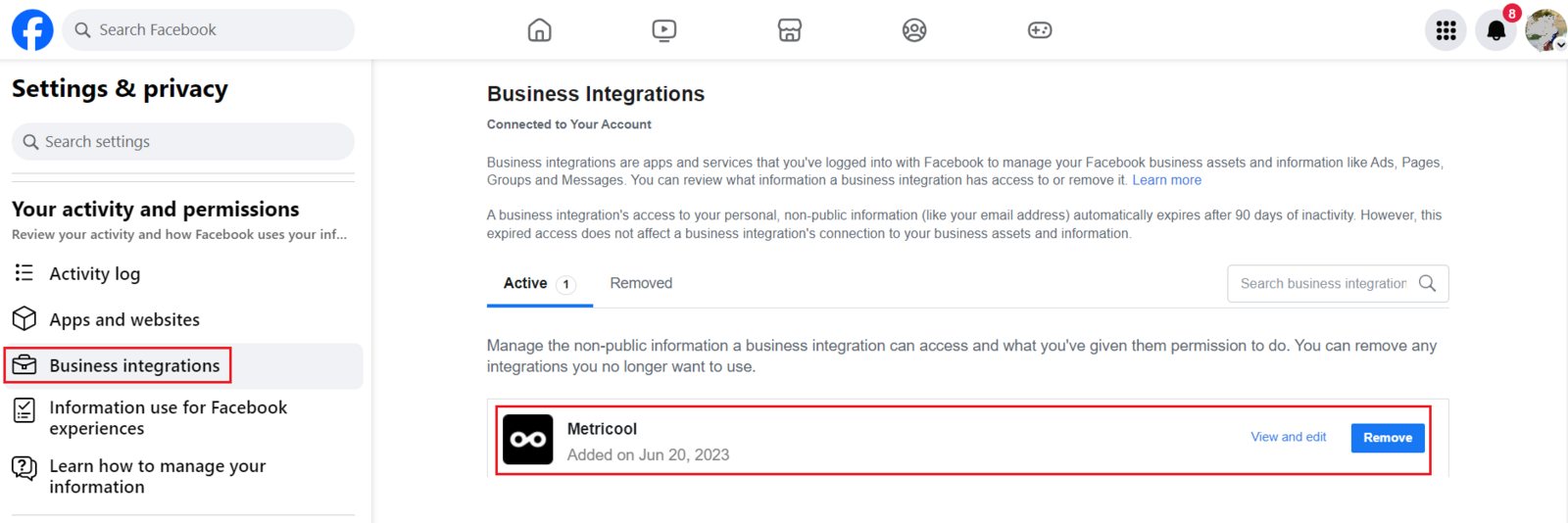
If the connection worked before and now fails, Facebook may have revoked Metricool's permissions. Remove Metricool's saved authorization in Facebook and reconnect:
If you have multiple pages connected to Metricool with the same admin profile, it may be necessary to reconnect them.
Open Facebook Business Integrations settings. If you are in the new Facebook experience, switch to your personal profile in the top-right menu first, then click the link again.
Look for the Metricool app in the list and remove it.
Open the connections dashboard and disconnect the page by clicking the X next to its name.
Connect the page again and accept all the permission prompts. After accepting the permissions, all the pages you manage should appear.
For the management of multiple Facebook pages, especially in agency scenarios, it's advised to have different administrators connect to Metricool. This way, if Facebook automatically revokes permissions, the impact of disconnecting your pages is minimized, meaning you will have to reconnect fewer pages.
iOS connection failures
On iOS 17 and later, connecting a Facebook Page from the Metricool app fails if tracking permissions were not accepted. Accept them, then reconnect:
Connect the Facebook Page again from the Metricool app and accept all permission prompts.
Business Manager permission failures
If the page is managed in Meta Business Manager, the profile that authorizes Metricool needs full control on the page asset; access to the business portfolio alone is not enough.
Check your access in Business Manager settings under Users → People, and confirm the page shows full control under your profile. Full walkthrough: Meta Business Manager Permissions.
If your profile is missing the page asset or has partial access, another business admin must grant it before you can connect.
If the page used to work and is stuck on an old admin, disconnect it in the connections dashboard (click the X next to the Page name), then reconnect with the profile that currently has full control.