How to refresh your social media connection in Metricool
Updated 6 months ago
Refresh the current connection
It is possible that at some point you may need to refresh the current connection, the usual reasons are:
changes in the API's of the social networks
update of the permissions previously granted to Metricool. For example, if there is a change of admin in Facebook or if the permissions have expired, as is often the case in LinkedIn.
Update recent data: when you refresh the connection, a sync starts automatically.
You will not be able to use some Metricool functions until you refresh your connection.
⚠️ Refreshing the Instagram connection
Instagram has two different connection types in Metricool. To correctly recover your previous data, it’s essential that you reconnect using the same connection method that was originally used.
Before refreshing or reconnecting your Instagram account, check which connection type you’re using and make sure to repeat the same process.
👉 You can review the differences and connection types in this article: Instagram access from Metricool: connection types and differences
How to refresh the connection?
To refresh the current connection, select the brand and follow these steps:
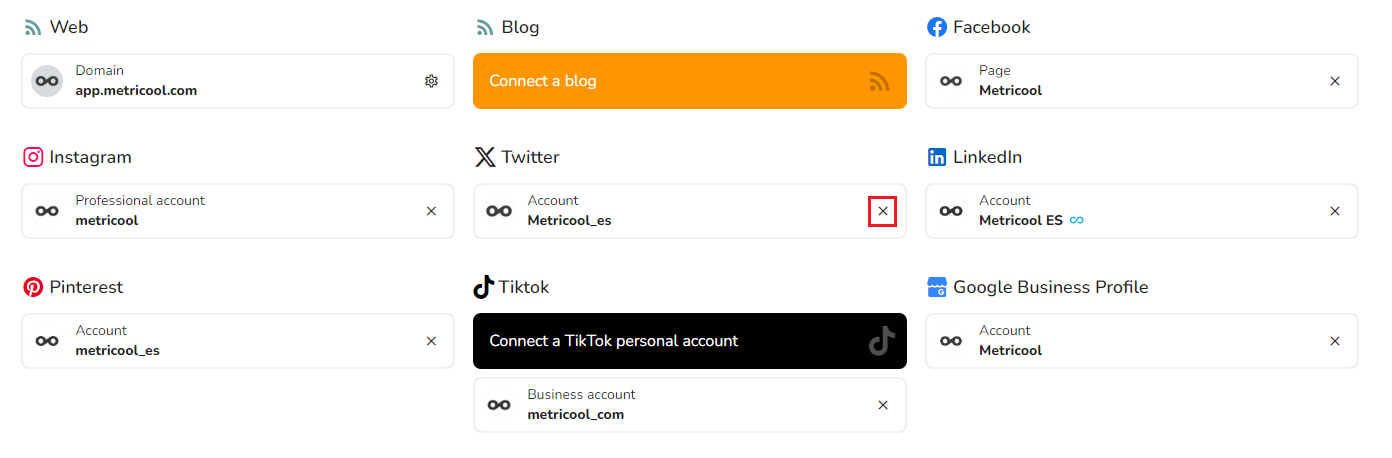
Access the connections dahboard.
Disconnect the current connection by clicking on the X next to the account name.
Click on "Connect". A pop-up window for the social network will appear.
Log in with the account credentials (or click continue if you are already logged in).
Once reconnected the data will be automatically synchronized again.
If required, you will need to accept all permissions again.