
How to connect Bluesky to Metricool
Updated 2 weeks ago
By connecting your Bluesky account to Metricool you have access to:
Schedule and publish: Learn how to schedule Bluesky posts step by step here.
Analytics: Make the most of your data by checking the available metrics here.
Competitors: Keep an eye on the competition and optimize your strategy. More info here.
Bluesky is available in all Metricool plans.
Connect Bluesky
This video is English only
Metricool currently only supports connecting Bluesky accounts hosted on Bluesky's standard server (.bsky.social handles). Accounts hosted on other providers (for example, eurosky.social) and accounts with custom domains (verified handles such as user.yourdomain.com) can't be connected at the moment.
Open a new tab and log in to bsky.app.
From Metricool, go to the connections dashboard.
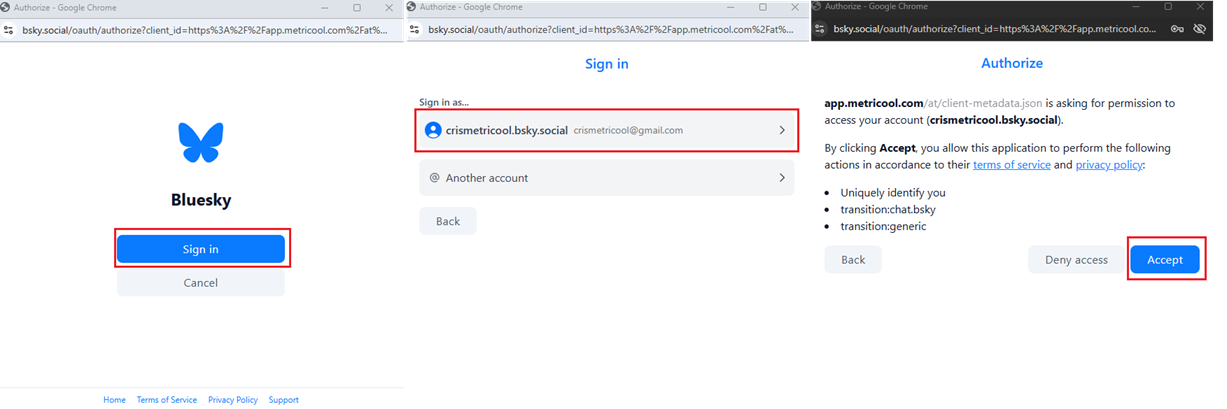
Click Connect account. A pop-up window will appear; click Sign in.
Click on your account (or enter your login credentials if requested) and accept all the permissions.
Related articles