
For you shows the requests sent to you for approval, where you approve or reject posts. Assigned by you shows the requests you've sent to other reviewers, so you can track their status.
How to manage content approval from Review requests (formerly My Tasks)
Updated 6 days ago
Review requests (formerly My Tasks) is where you manage posts that go through the content approval system: approve or reject the requests sent to you, and track the ones you've assigned to others. It is available on all plans. On Free and Starter, you need at least one shared brand with the necessary permissions to use it.
Good to know
For you: lists the requests sent to you for approval, pulled together from every brand where you've been added as a reviewer. Each request shows a brand column (image and name) so you can tell them apart. This is where you approve or reject the posts assigned to you.
Assigned by you: lists the requests you've sent to other reviewers, so you can track their status.
Search: use the Search post field to find a specific publication.
Filters: narrow the list by publication, network, or brand. By default, the list shows only the posts pending approval, and the brand filter only lists brands that have something pending.
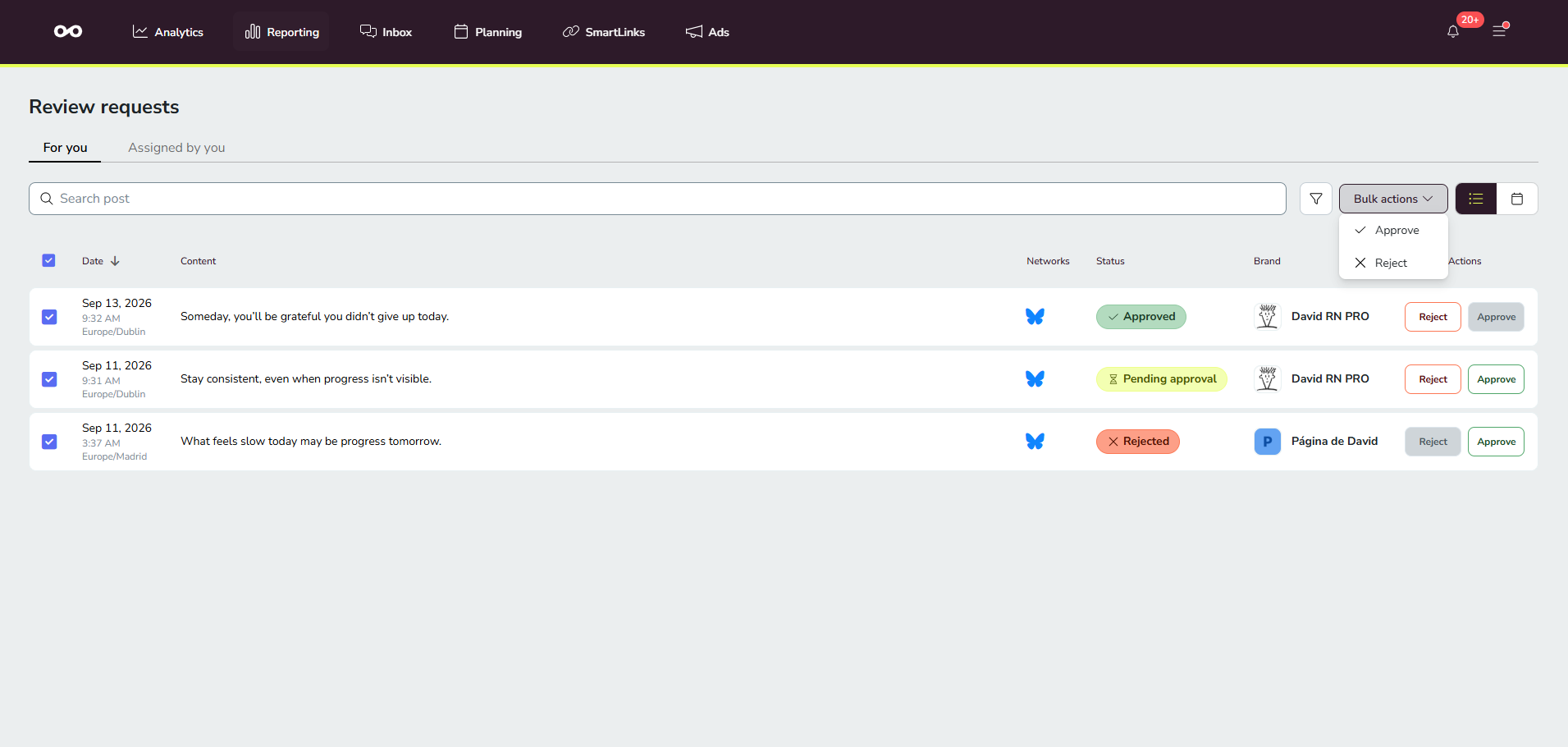
Bulk actions: approve or reject several requests at once from the Bulk actions dropdown.
List and calendar views: switch between a list and a calendar view of your requests.
Rejection: a rejected post won't be published, even if other reviewers approved it.
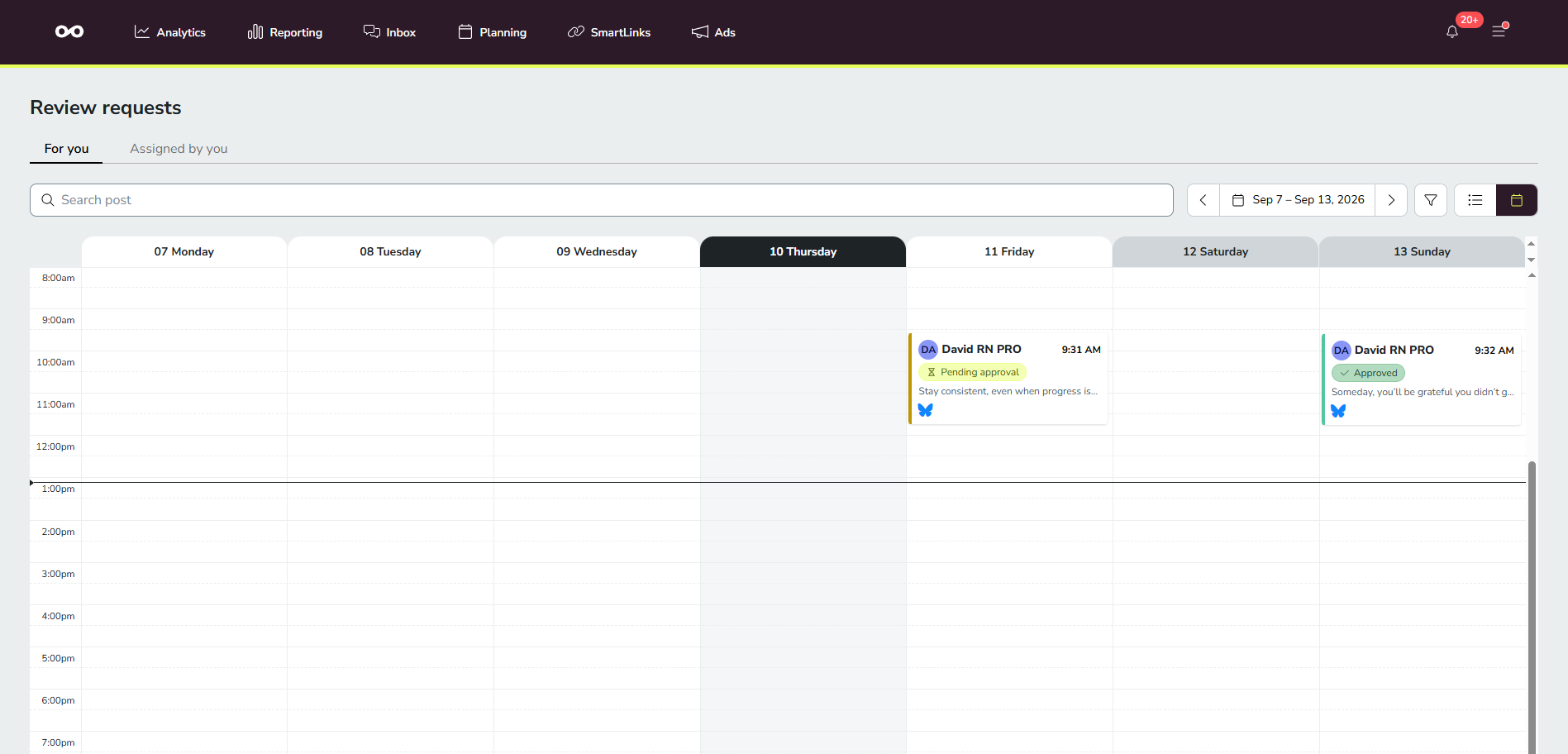
If you lose reviewer access to a brand, its posts drop off your For you list automatically. They come back if your access is restored. This doesn't change the separate, per-brand reviewer portal used by reviewers without a Metricool account.
Task statuses
Each request appears with one of the following statuses:
Open: requests you are actively managing or reviewing.
Pending approval: requests waiting for a reviewer to approve or reject.
Rejected: posts that were rejected by a reviewer and need to be revised.
Approved: posts that have been approved and are ready to publish.
Grace period: if a post hasn't been approved or rejected by its scheduled time, Metricool applies a grace period of 3 hours. During that time the post still appears in Review requests and can be approved and published normally. After the grace period, the task disappears from Review requests and the post remains unapproved (it won't be published).
If you reject a post, it won't be published, even if other reviewers approved it.
How to approve or reject a request
Approve or reject posts that were sent to you for approval from the For you tab. Rejecting a post stops it from being published.
Open Review requests
Click the menu icon (☰) to open the side panel, then select Review requests.
Select the For you tab
Your pending requests appear here.
Open the post
Click the request to preview the post and review its content, social network, and scheduled date. The preview also shows any notes already added to the post.
Choose Approve or Reject
If you reject, you can add a note explaining why. The note field supports rich text formatting and @mentions; mentioning a teammate sends them a notification if they have notifications enabled.
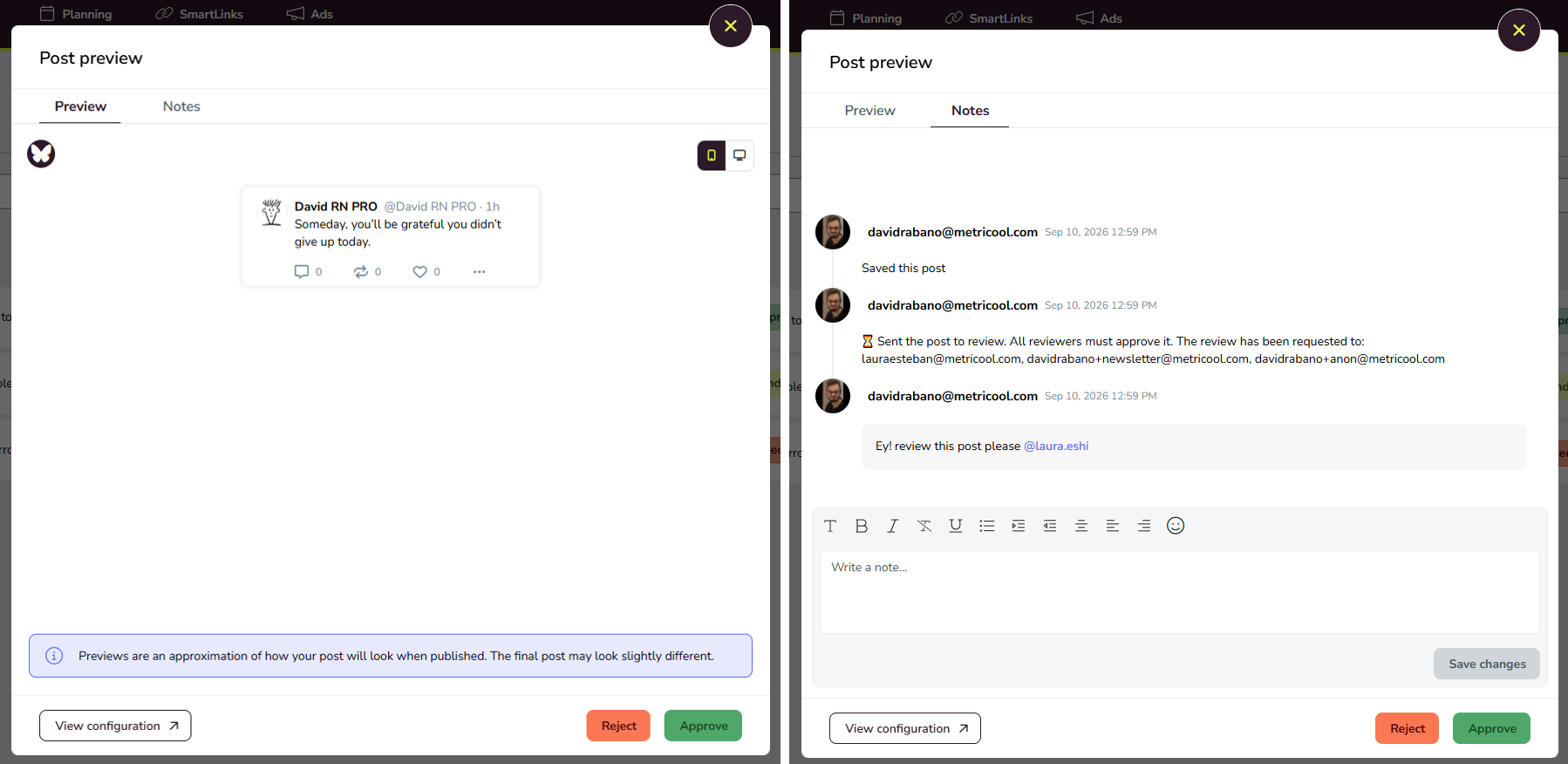
If you reject a post, it won't be published, even if other reviewers approved it.
How to track requests you've assigned
Use the Assigned by you tab to see the requests you've sent to other reviewers and check whether they're still pending, approved, or rejected.
Open Review requests
Click the menu icon (☰) to open the side panel, then select Review requests.
Select the Assigned by you tab
All the requests you've sent appear here with their current status.
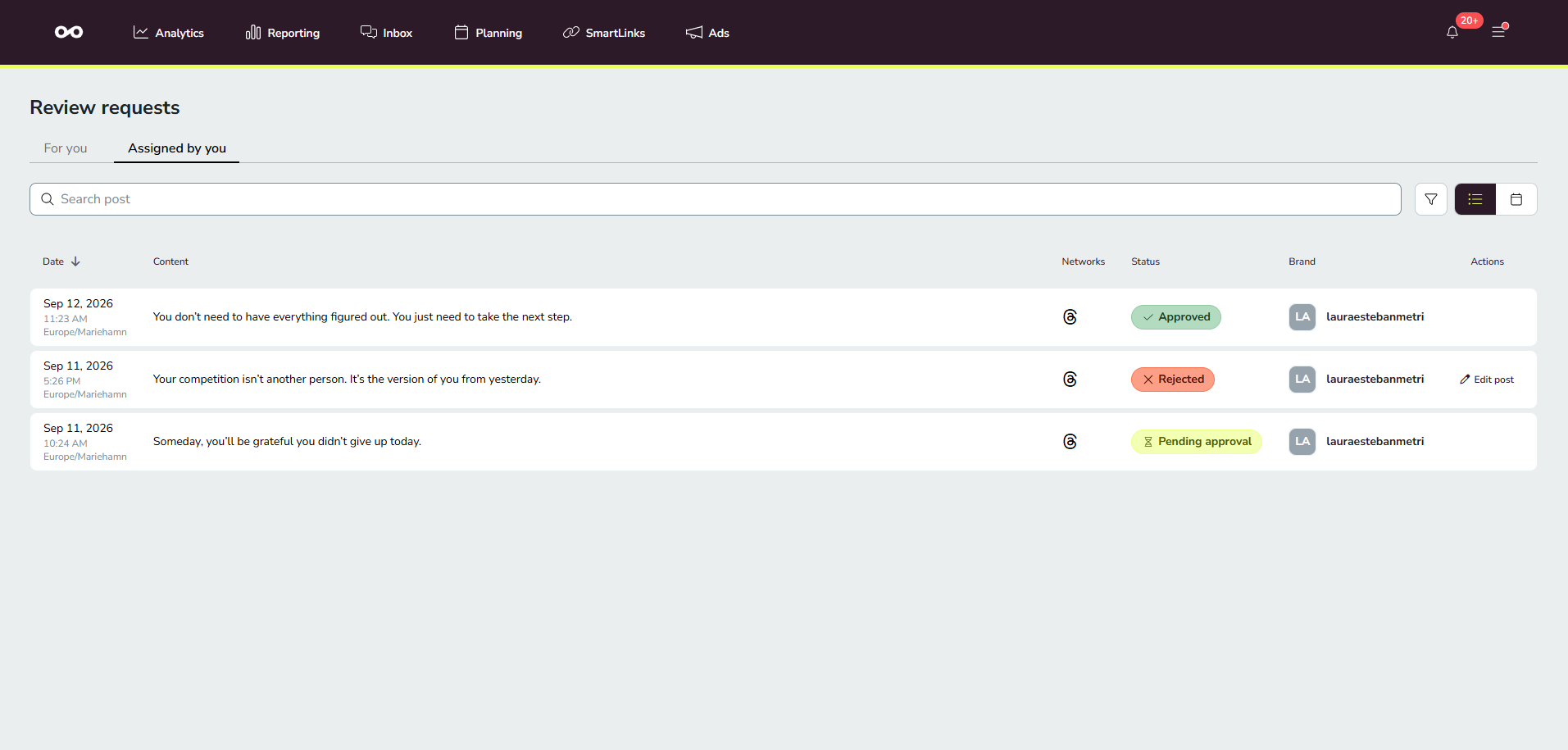
How to find a request
Use the search field and filters to narrow down the list when you have many requests.
Search post: type a term to find a specific publication.
Filters: filter the list by publication, network, or brand. The list shows only the posts pending approval by default, and the brand filter only includes brands that have a post pending. If you've already chosen a filter, it stays as you set it.
How to review requests in bulk
Approve or reject several requests at once from the Bulk actions dropdown.
Select the requests
Select the requests you want to act on.
Open Bulk actions
Click the Bulk actions dropdown.
Choose Approve or Reject
The action applies to all selected requests.
If you reject a post, it won't be published, even if other reviewers approved it.
What happens after you review a post
The outcome depends on the approval criteria the creator selected when sending the post for review. For the full breakdown of approval rules and what happens after each decision, see How to approve or reject a scheduled post in Metricool.
FAQs
What's the difference between For you and Assigned by you?
Can I review posts without a Metricool account?
Yes. If you don't have a Metricool account, you can review posts from the reviewer portal using the link in the email you receive. See How to approve or reject a scheduled post in Metricool for the reviewer portal flow.
What happens if a post isn't approved by its scheduled time?
Metricool applies a grace period of 3 hours. During that time the post still appears in Review requests and can be approved and published. After the grace period, the task disappears and the post remains unapproved (it won't be published).
Related articles
Was this helpful?
Was this helpful?