
Manage your notification preferences
Updated 2 days ago
Choose how you receive each Metricool notification from your account settings. For every event, choose whether you get it in-app, by email, or both; the Manual post pending event also supports push. Notification preferences are available on regular accounts and on agency accounts.
Open your notification preferences
Your notification preferences are in your account settings.
Click the menu icon (☰) to open the side menu, then select Account settings.
Open the Notifications section.
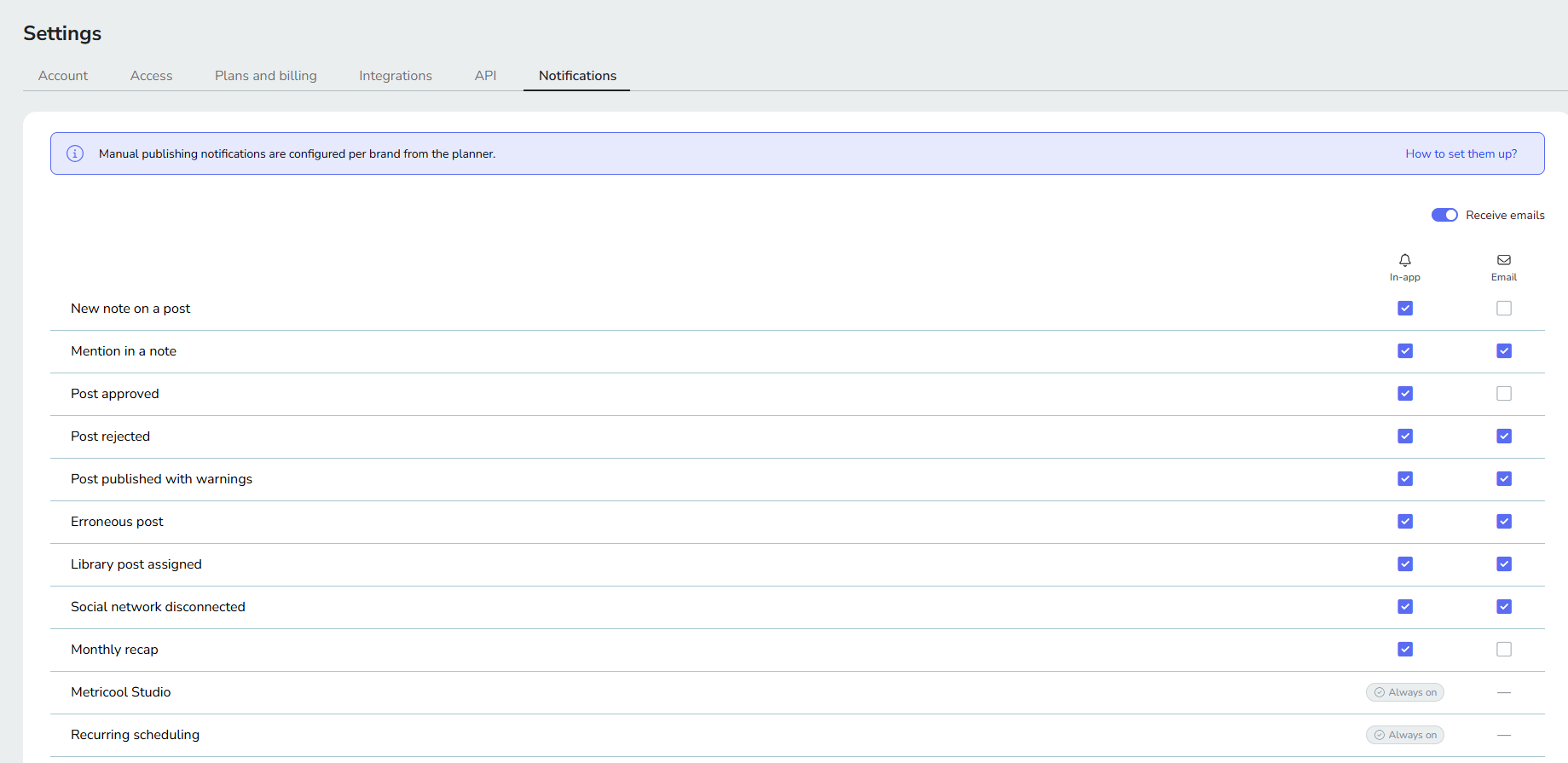
Choose how to receive each event
The screen is a table with one row per event and two columns, In-app and Email; the Manual post pending event also supports push. Select the checkbox in each column where you want to be notified, and clear both to turn an event off. For what each event means and when it fires, see Types of notifications in Metricool.
The events you can configure are:
New note on a post
Mention in a note
Post approved
Post rejected
Post published with warnings
Erroneous post
Library post assigned
Social network disconnected
Monthly recap
Manual post pending
Erroneous post alerts are available to any user with permission to schedule posts on the brand where the post failed. Each user decides whether to receive them, and through which channels, from their own notification preferences.
Turn off all notification emails
Use the Receive emails switch above the table to unsubscribe from the email notifications in this table in one step, instead of clearing the Email checkbox on each row.
Always-on notifications
Metricool Studio and Recurring scheduling appear at the bottom of the table marked Always on. Metricool sends these in-app notifications to you whatever your preferences are, so they have no checkboxes and you can't turn them off.
Your preferences apply to every brand
Your preferences are global: they apply to every brand you participate in. You only receive a notification when you have the required permission in the brand where the event occurs.
Slack notifications
A brand can also post its alerts to a Slack channel. Those alerts don't follow your personal preferences: they go to the channel set up for the brand, and anyone in that channel sees them. To set it up, read Send brand notifications to Slack.
Manual publishing notifications
The alert that a post is ready to be published manually is an event of the notification system, and you configure it here like the other events. Two groups receive it, added together:
Every user with permission to publish posts on the brand, through the channels they have on in their notification preferences (in-app, email, and push).
The emails and devices added in the brand's planner notifications modal, by email or push. This includes addresses that are not Metricool users.
If a user is in both groups, they get one email and one push, never duplicates. The planner notifications modal overrides these preferences: if you turn the event off here but your email or device is still in the modal, you keep receiving it there, and the only way to stop it is to be removed from the modal. A tooltip on this event reminds you that the modal overrides your settings.
If the modal is empty, the alert goes to the users who can publish on the brand. The brand's Slack destination also receives the event whenever it is turned on there, no matter who is in the modal.
To set up the emails and devices of the planner notifications modal, read how to set up notifications for manual publishing.
Related articles