
Schedule and publish on X (Twitter)
Updated 2 months ago
In Metricool, you can easily schedule your content to go out exactly when you want.
Connecting X (Twitter) in Metricool is a paid add-on and only available in Starter plans or higher. Check all the details here.
Use the Best Time to Post feature to know when your audience is most active and check the image and video requirements to make sure everything looks perfect.
Good to know
Content: create threads (up to 80 posts).
Multimedia: attach images (up to 4 per post), one video, or one GIF. Mixing formats is not possible.
Character limit: 280 / 25,000 (X Premium — X's own subscription) per post.
Alt text: supported. Click the ALT button to add your alt text.
Mentions and tags: enter the username (for example, @metricool.bsky.social). While typing, the autocomplete function will help you select the correct name from the suggested list. You can tag other people in images.
Links: links always count as 23 characters toward the total limit, no matter the actual URL length.
X Premium: if you have X Premium (X's own subscription), you can publish using the native character limits. Keep in mind that after activating it, X (Twitter) may take around 24 hours to reflect the update in Metricool.
How to create a post on X
To schedule a post, go to the Planning tab in the top menu and follow these steps:
Click "+ Create new post" and select X (Twitter)
Add your text. You can create threads (up to 80 posts) and mention other accounts (like @metricool).
Optional: Upload an image or video file — up to 20 images, videos, or GIFs (you can select a video frame as the cover).
Global settings: you can enable the URL shortener and select SmartLinks.
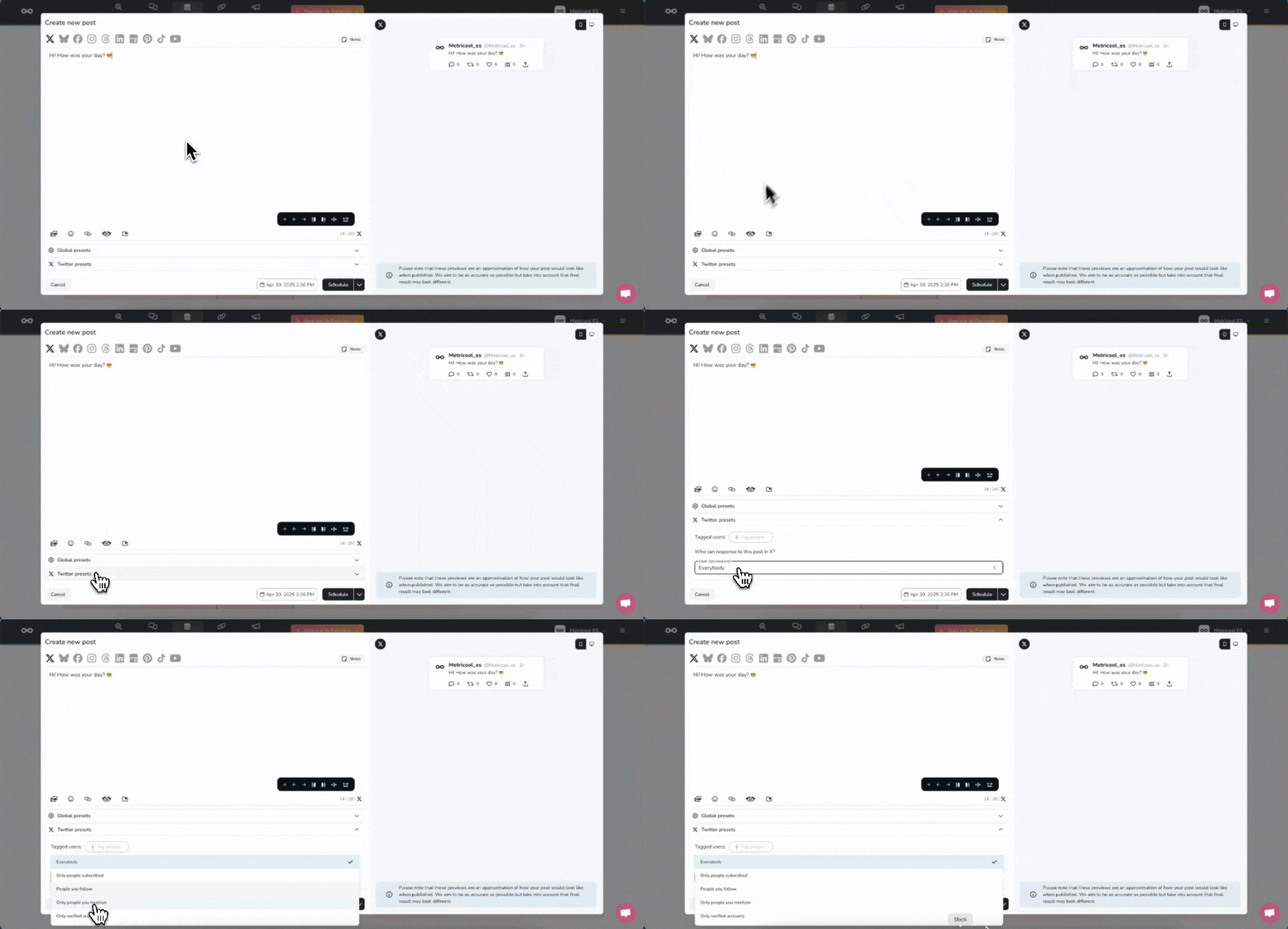
Twitter settings:
Tag users: Check the details in the article Mention and tag other accounts.
Select who can reply to your posts, allowing replies from:
Everyone
Only followers
People you follow
Only mentioned people
Only verified accounts
Choose the time and date, then save the post.
Image & video requirements
Image specs
Format: JPG, PNG, or GIF
Size: up to 5 MB
Recommended resolution (up to 2048 supported): 1024 x 512 pixels
Video specs
Format: MP4, MOV, or GIF
Size: up to 512 MB
Duration: up to 2 minutes and 20 seconds
Recommended resolution (up to 2048 supported): 1280x720 (horizontal), 720x1280 (vertical), 720x720 (square)
Recommended aspect ratio: 16:9 (horizontal or vertical), 1:1 (square)
Recommended audio codec: AAC LC
Recommended video codec: H264 High Profile
Minimum video bitrate: 5,000 kbps
Minimum audio bitrate: 128 kbps
Recommended frame rate: 30–60 FPS
GOP (Group of Pictures): max 512 frames per GOP
Animated GIF recommendations:
Resolution: 1280x1080 (width x height)
Number of frames: 350
Number of pixels (width x height x frames): 300 million
File size: up to 15 MB