
How to schedule a first comment on your posts
Updated 3 months ago
Schedule your post with a first comment so both publish at the same time. A first comment can only be scheduled with a post, never on its own. Available on web and mobile.
Supported networks and limits
First comment is available on these networks, with separate character limits from the main post text:
Network | Formats | Character limit |
|---|---|---|
Posts and Reels | 2,200 | |
Posts and Reels | 8,000 | |
Posts | 1,250 | |
TikTok | Professional pages only | 150 |
YouTube | Videos and Shorts | 10,000 |
If you schedule the same post on multiple networks, the first comment is only published on the networks and formats listed above.
For main post text limits by network, see Character limit for each social network.
How to schedule a first comment
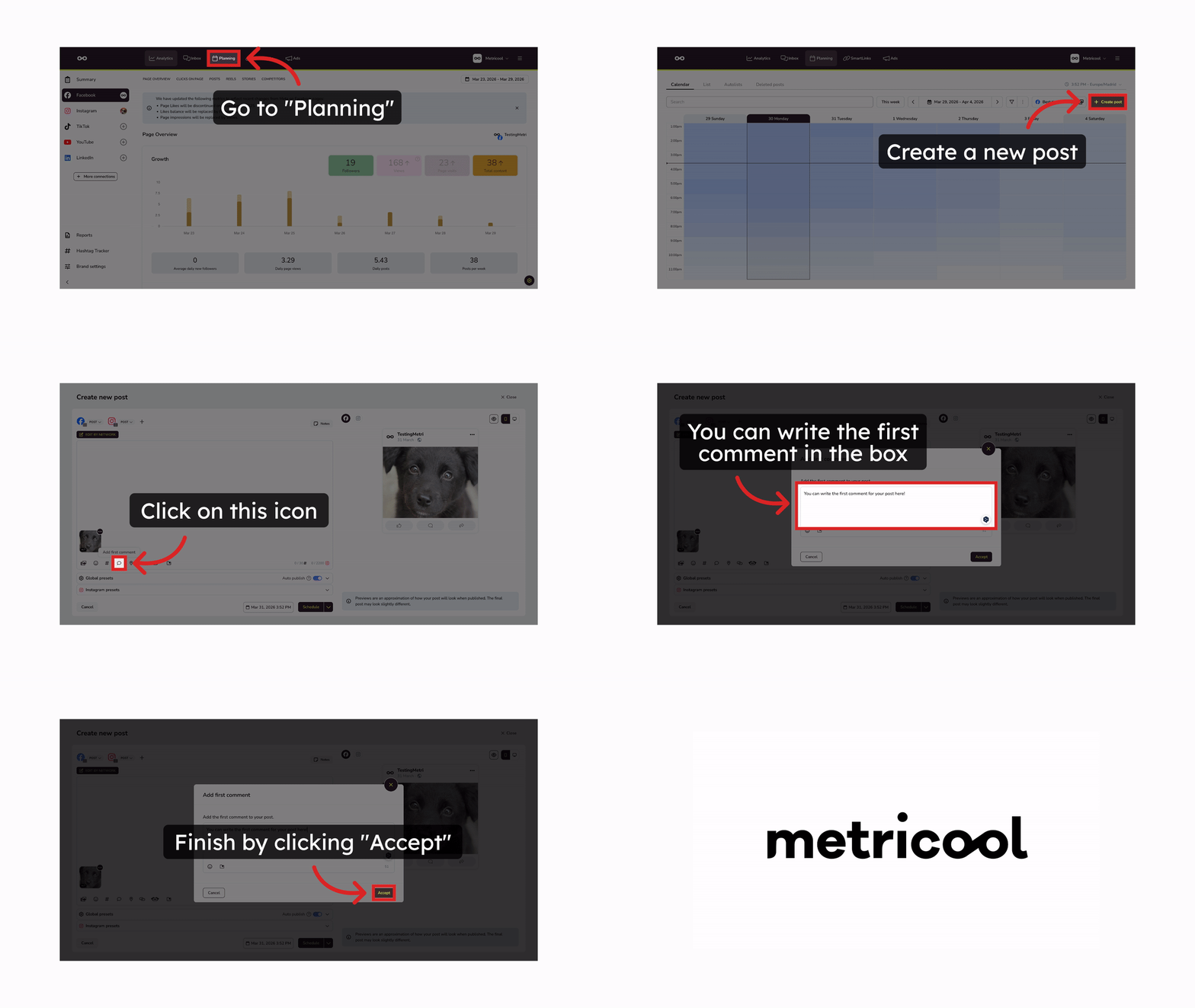
Go to the Planner section in the main menu.
Click Create new post.
In the text box, click the message icon.
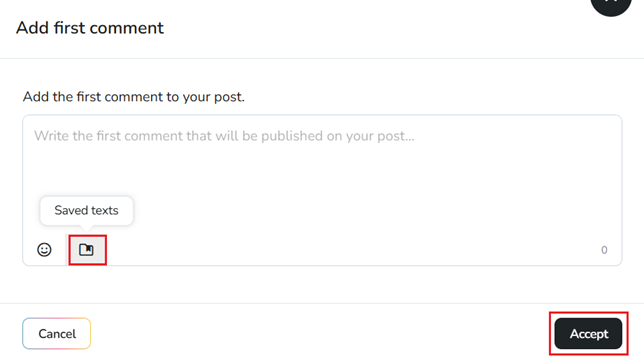
Write your comment, then save.
You can reuse copy from your saved texts when writing the comment.
Related articles