
How to connect social media and ad platforms to Metricool
Updated 3 weeks ago
Before you start planning content, analyzing metrics, or managing messages, you’ll need to connect your accounts to Metricool.
This guide will help you understand what you can connect and how it’s all grouped under a single brand for easy management.
Not sure what a brand is in Metricool? Check out the article What’s a Brand in Metricool and How Does It Work?
What can you connect?
From the Metricool connections dashboard, you can link all the accounts and platforms you need under each brand.
Make sure to accept all permissions to ensure the tool works properly.
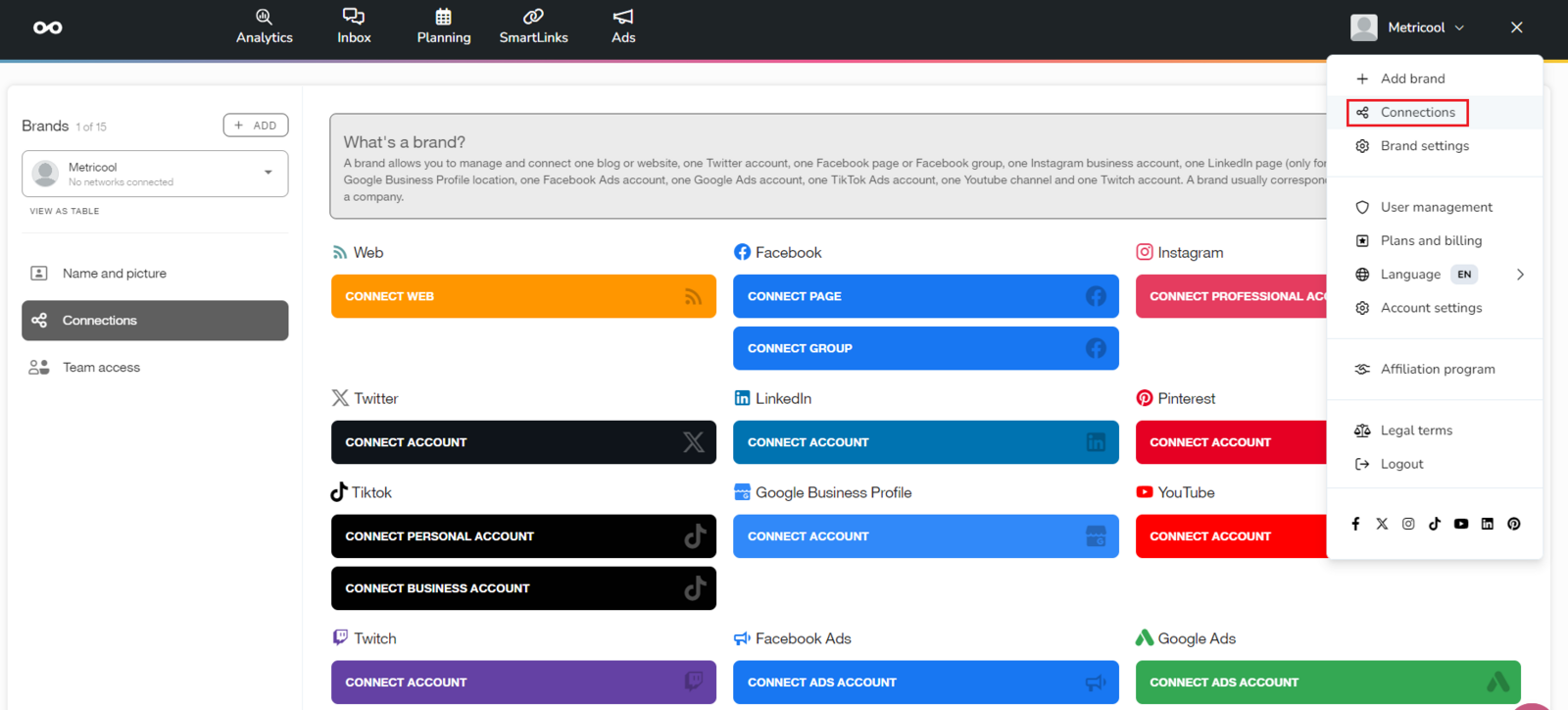
Here’s everything you can connect under a brand. Click each platform to open the step-by-step guide:
An X (Twitter) account (add-on only available on paid plans)
A LinkedIn profile or page (not available on Free plans)
Each brand supports only one account per platform. If you manage multiple accounts of the same type, you’ll need one brand per account.
Check out the available plans to see how many brands you can manage.
How to connect
Just go to the connections dashboard, click the platform you want to connect, and log in with your credentials (some platforms require specific permissions).
To complete the process, authorize Metricool access.
For more details, follow the guide linked above for each platform.
Wrong account connected? Learn how to change it here.
Integrations with other tools
Besides connecting your accounts, you can use Metricool with your AI assistant and with other tools to create custom reports and automate workflows.
Metricool MCP
Metricool MCP lets you manage your brands, check analytics, and schedule posts using natural language from your AI assistant. It’s available on all Metricool plans.
Learn how to set it up in How to connect Metricool’s MCP.
API integrations
Use the Metricool API to build custom reports, automate workflows, or connect Metricool with tools like:
Data Studio: create custom reports with your Metricool data. It has a native connector. It’s perfect for advanced dashboards and client reporting.
These integrations help you expand Metricool’s functionality and connect it to your existing toolset.