
Flows supports Instagram, TikTok, and X. Each network offers different templates — see the table above and Flows on X for availability.
What are Flows?
Updated 3 weeks ago
Flows are trigger-based automations that reply to social media interactions. Find them under Planning → Flows. Flows is free for all paid plans for a limited time.
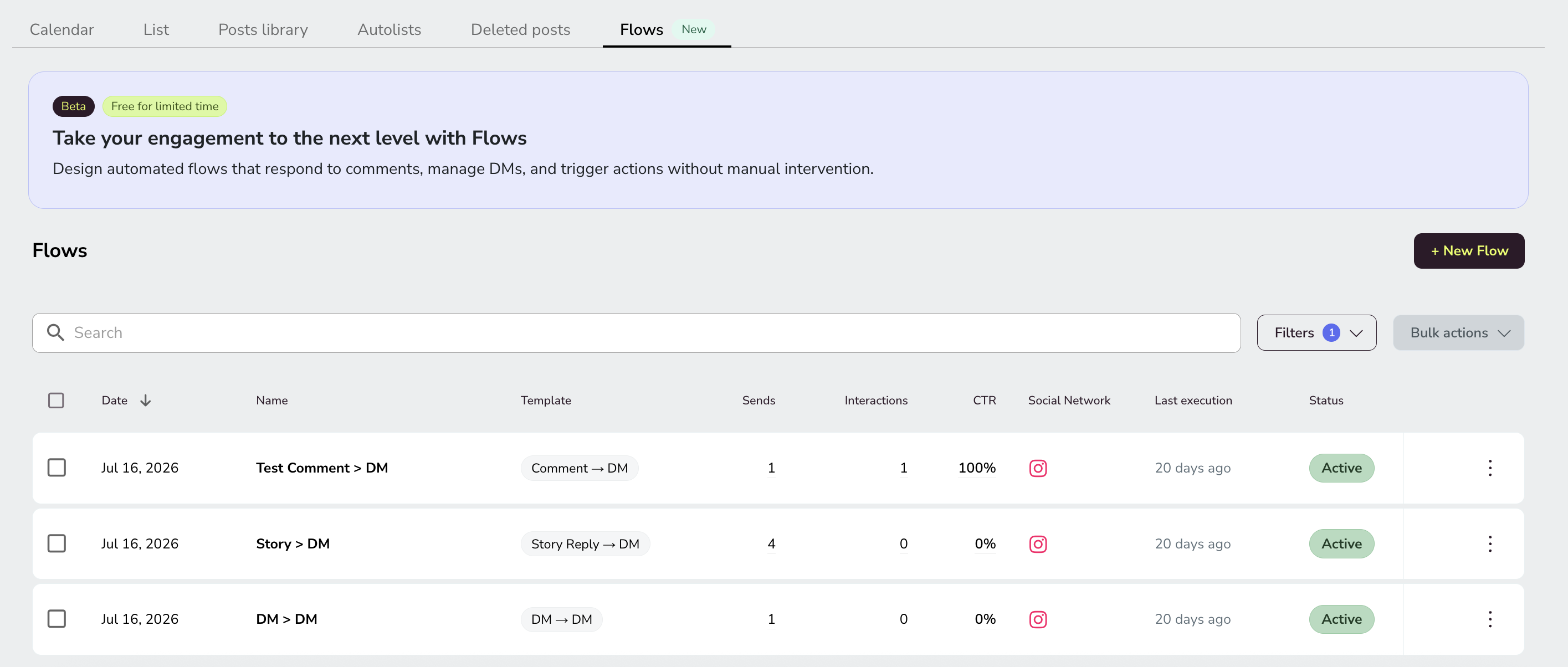
Flows is free for all paid plans for a limited time.
Where to find Flows
Open the side menu (☰) and go to Planning → Flows. The Flows list shows every automation you have created, with summary metrics and status.
Use the Send feedback button in the template editor to share your thoughts about Flows directly with the Metricool product team.
What Flows can do
Each Flow follows a trigger → action pattern: something happens on a social network, and Metricool performs an automatic action in response. Templates are not shared between networks: each network has its own set, so you need a separate Flow for each network.
Flows on Instagram: turn comments into DMs, reply to DMs with keywords, and turn story replies into DMs.
Flows on TikTok: reply to comments instantly and moderate your video comments; keyword DM replies are coming soon (US only).
Flows on X: Auto DM, Auto Repost + Unpost, and Comment to DM, to automate DMs and reposts.
Prerequisites
General requirements for all networks:
User permission Edit Flows enabled
Professional Instagram account connected to Metricool
Facebook Page linked to the Instagram account (required for Comment → DM)
TikTok
TikTok Business account connected to Metricool
X
X/Twitter add-on activated on a paid plan (Starter or higher) — see Your Guide to the X/Twitter Add-On
If you connected Instagram without a linked Facebook Page, you cannot use the Comment → DM Flow. Reconnect Instagram with the associated Facebook Page.
FAQs
Which social networks support Flows?
Is Flows included in my plan?
Flows is free for all paid plans for a limited time. It is not available on the Free plan.
Can I create one Flow that works on multiple networks?
No. Each Flow is tied to a single social network. If you want the same behavior on Instagram and TikTok, create a separate Flow for each.
Do I need a separate Flow for each post?
Yes. Each automation is linked to one post, and a post cannot have two active automations. You can clone an existing Flow and change the target post to reuse the same configuration.
Can I use Flows from the mobile app?
Flows is not available in the mobile app. Create and manage Flows from the Metricool web dashboard.
Next steps
Additional resources
Related articles
Was this helpful?
Was this helpful?