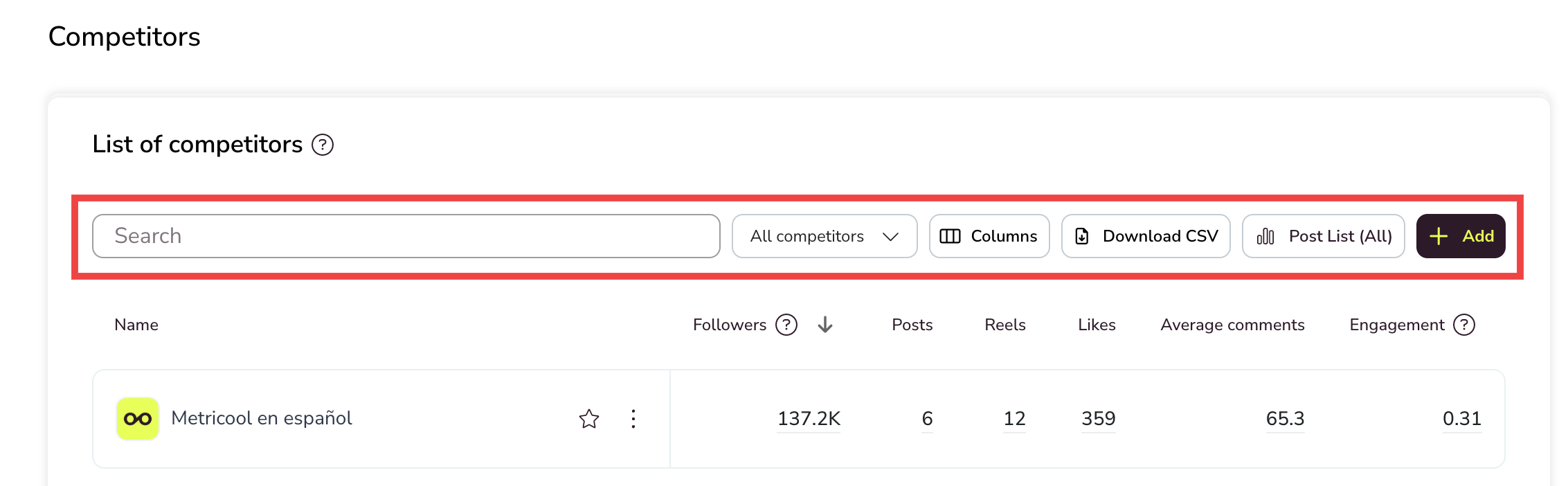
Analyzing your competitors allows you to identify what works in your industry and make better decisions for your content. To access competitor data, open the side menu, go to Analytics, and select Competitors. Through the API, Metricool retrieves public information from each profile — without needing permissions — so you can compare it with your own in a simple and visual way.
Available on the Free plan and paid plans for Facebook, Instagram, Threads, Bluesky, and Twitch. Available only on paid plans for YouTube and X (connection via add-on).
Good to know
Availability: once you connect a competitor, you'll have access to their posts starting from the 1st of the previous month.
Organic data only: competitor data available through the API is organic only.
Paid plans: you can sync up to 300 posts from the competitor's account history, from the moment of connection and depending on API availability for each platform. To request this, contact our team via chat.
Additional history: if another user had previously added the same competitor, there might be more stored data available.
Competitors view
In the Competitors section, you'll see a table with all your connected competitors and their key metrics. From here, you can analyze and compare their performance directly. By default, all competitors are selected and displayed in the table. To adjust the selection:
Click the All competitors button in the options bar.
A dropdown opens where you can:
Use the search bar to find specific competitors by name.
Click Select all to select all competitors at once.
Click Clear to deselect all competitors.
Select or deselect individual competitors by clicking on them.
The button updates to show X items selected based on your selection.
The same filter can also be applied within the posts list, so you can review and compare competitor posts for the selected profiles. This gives you more flexibility to manage selections quickly, especially when working with a large number of competitors.
Customize columns and export data
From the competitors table, you can customize which metrics to display and export the data.
Columns: click the Columns button to choose which metrics appear in the table. Toggle each option on or off depending on what you want to see.
Download CSV: click Download CSV to export the competitor data shown in the table. This allows you to analyze the metrics offline or share them with your team.
Competitor actions
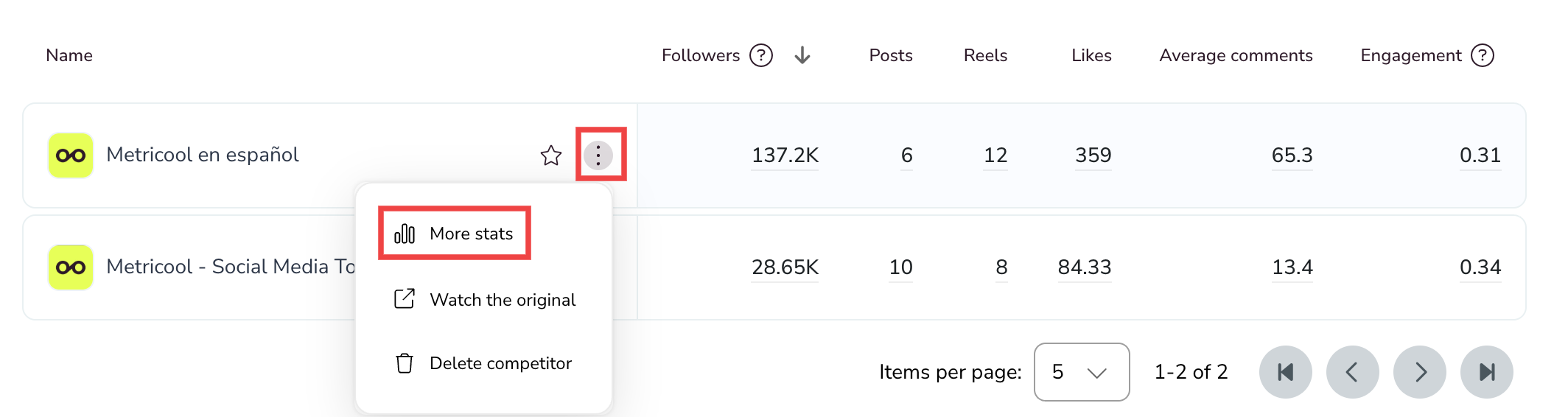
Each competitor row in the table includes a three-dots menu (⋮) that gives you access to individual competitor actions. Click the ⋮ icon next to a competitor's name to open it.
More Statistics: opens a new window with additional details and metric trends for that competitor. Not available for Threads competitors.
Watch the original: redirects you to the competitor's profile on their social network.
Delete: remove the competitor from your list. Available on paid plans only. Free users can't delete competitors once they've been added.
You can also click the star icon next to a competitor's name to visually highlight them in the table.
The competitors table displays the following metrics for each connected profile. Not all metrics are available for every platform.
Followers and likes
These data points can only be monitored from the moment of connection and do not include historical data from before the competitor was added.
Note on hidden likes on Instagram
In some cases, you won't see the number of likes on a competitor's post. This happens when the account has enabled the option to hide like counts on Instagram.
You'll notice it right away: instead of showing a specific number of likes, it says "and others" under the post.
To change this setting on Instagram:
Open the Instagram app.
Go to your profile and tap the menu (☰).
Tap Settings & privacy.
Select Posts.
Toggle Hide like counts on or off as you prefer.
Posts
Click the Posts (All) button in the header to view all competitor posts, sorting and comparing them by the metric of your choice. This button isn't available for Threads competitors.
Interactions
Competitor interactions (reactions, comments, shares, reposts, etc.) are calculated as an average per post, dividing the total number of each interaction by the number of posts made during the selected period. Threads works differently: see Specifications for Threads below.
Engagement
Competitor engagement is calculated differently from your own account's engagement. For competitors, engagement uses followers instead of reach, because reach is not a public metric and cannot be retrieved through the API.
Add your own account as a competitor to make your data directly comparable side by side in the same table.
Specifications for X (Twitter)
Posts: the last 100 posts or the last 30 days are imported, whichever limit is reached first.
Previous history: posts prior to this range cannot be retrieved.
Daily updates: from the moment of connection, posts from the previous day will be synced for each added competitor.
Starter plan: displays a post balance, meaning the difference in the number of posts published during the selected period compared to the last day before the period started. This balance excludes reposts and replies and accounts for deleted content, so the result can be negative.
Specifications for Threads
The Threads competitors table shows five metrics: followers, likes, quotes, reposts, and views.
Last 7 days: likes, quotes, reposts, and views correspond to the competitor's posts from the last 7 days. They are not an average per post and not the total for the selected period.
Date range: Metricool records this data daily. When you select a range, the table shows the latest value recorded for that selection.
Followers: the profile's total followers at the time of the recorded data.
Not available:More Statistics and the competitor posts list.