
How to label AI-generated content for EU AI Act compliance
Updated 3 months ago
You can label AI-generated content when scheduling through Metricool in three ways: turn on the AI-generated content toggle for Instagram, TikTok, and YouTube posts, add a visible label to the image or video, or write a disclosure in the caption. Whether we can offer the toggle depends on each network's API: it is currently available for Instagram (images, Reels, and carousels), TikTok (videos), and YouTube (videos from the web post creator), and we will add it to more networks as their APIs support it. Article 50 of the EU AI Act, enforceable since August 2, 2026, requires clear labeling of AI-generated or AI-modified content, especially deepfakes and content on public-interest topics.
Using a platform's native AI-generated flag, the EU icons, or any of the other options in this article does not by itself guarantee legal compliance. AI content rules change frequently and can differ by region and platform, so check current requirements before publishing. You remain responsible for ensuring your disclosure meets Article 50 AI Act requirements. This article is informational, not legal advice — for compliance questions, consult your legal team.
Turn on the AI-generated content toggle in Metricool
The AI-generated content toggle passes the label to the platform at publishing time, so the post is labeled without any extra step after scheduling.
In Planning, click + Create new post and select Instagram.
Add an image, Reel, or carousel.
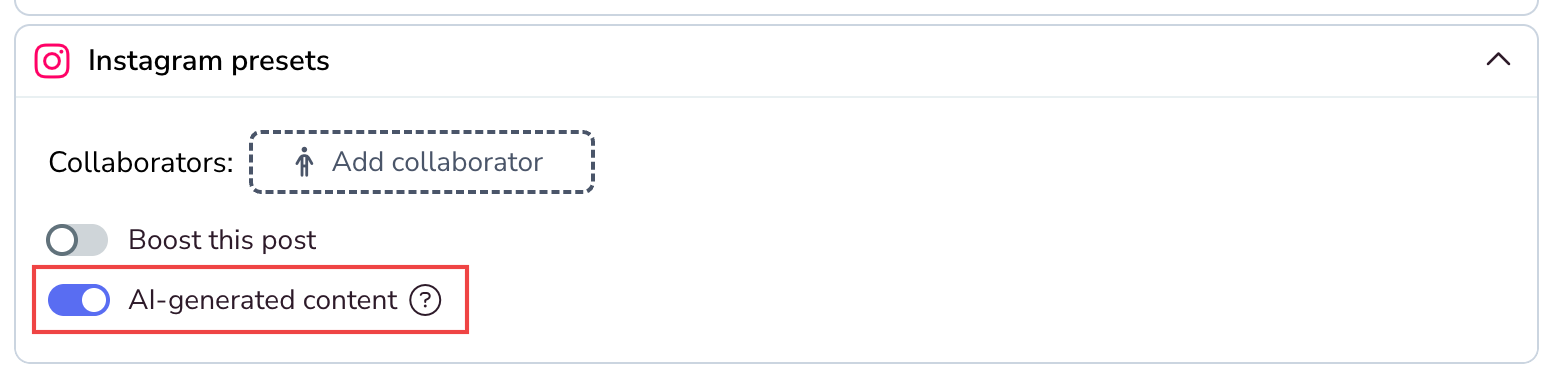
Under Instagram presets, turn on AI-generated content.
The toggle works with both Instagram connection types: connected via Facebook and Instagram login only.
TikTok
In Planning, click + Create new post and select TikTok.
Add the video.
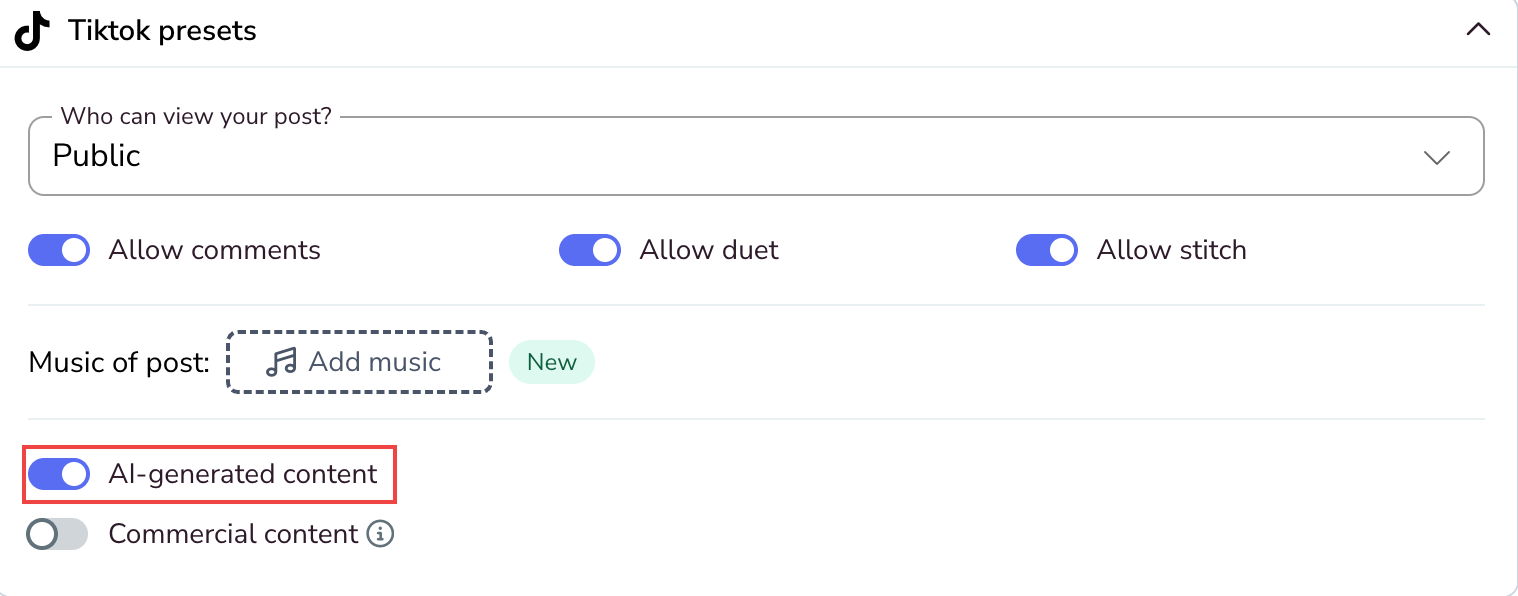
Under TikTok presets, turn on AI-generated content.
The option is available for personal and Business TikTok accounts, on web and mobile, for videos.
YouTube
In Planning, click + Create new post and select YouTube.
Add the video.
Under YouTube settings, turn on AI-generated content.
The option is available in the web post creator; the mobile post creator will include it in a future release.
Add a visible label to the image or video
For networks without a native AI flag in Metricool — Facebook, LinkedIn, X, and Pinterest — or for extra visibility on video-first formats, add a label directly to the media.
In Planning, click Create New Post and add the image or video.
Hover over the attachment and click the three dots.
Click Edit image/video.
Use the Sticker tool to add a custom image or logo, or the Draw tool to add text such as "AI-generated content".
Click Save and finish scheduling the post.
The official EU AI-labeling icons are available as free SVG/PNG downloads from the European Commission at digital-strategy.ec.europa.eu. The icons are optional — compliance depends on the disclosure being clear and visible, not on a specific icon.
Add a label in the post caption
A caption disclosure is the only option that covers text-only posts, and it works as a complement to the other two methods.
Write a clear statement such as "AI-generated content" at the start or end of the caption, not buried among hashtags. For video-first formats where captions may collapse or hide, combine the caption with a visible label on the media.
Related articles