
Not in your Metricool account. A post is saved only when you save it, schedule it, or publish it. While you edit, we keep a temporary copy in your browser in case you close the tab or the browser by accident. That copy does not appear in the planner.
Why is my scheduled post missing from the planner?
Updated 3 days ago
A scheduled post that is missing from the planner was not saved. Metricool shows a warning before you lose an unsaved post, and a post that is hidden by a filter or was deleted can also seem missing. Check the cases below in order.
A post that is not saved never appears
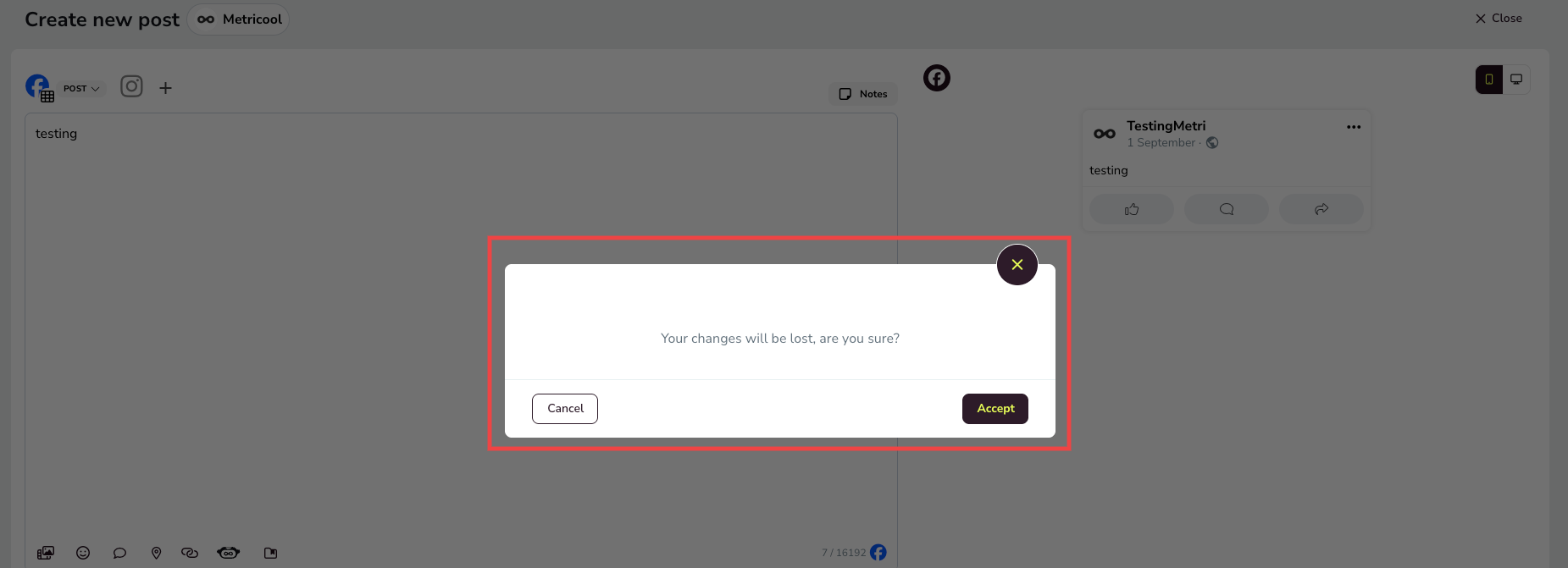
A post only appears in the planner after you save it, schedule it, or publish it. If you close the post composer with unsaved changes, Metricool warns you so the post is not lost: Your changes will be lost, are you sure? with Cancel and Accept.
Choose Cancel to return to the composer and save the post before closing it. If you choose Accept, the post is not saved, does not appear in the planner, and cannot be recovered.
While you edit, we also keep a temporary copy of your post in your browser. That copy is not a saved post and does not appear in the planner. The FAQs at the end of this article explain how it works.
Check your calendar filters
An active filter hides posts that do not match it, so a saved post can be present in the planner but not visible. The filter button shows a number with the total active filters.
In Planning, click the filter button.
Review the selected social networks, post types, publication status, approval status, notes, and Campaign Dashboards.
Click Apply.
Use the search bar to find a specific post by its content. For the full list of filters, see How to manage your calendar in Metricool.

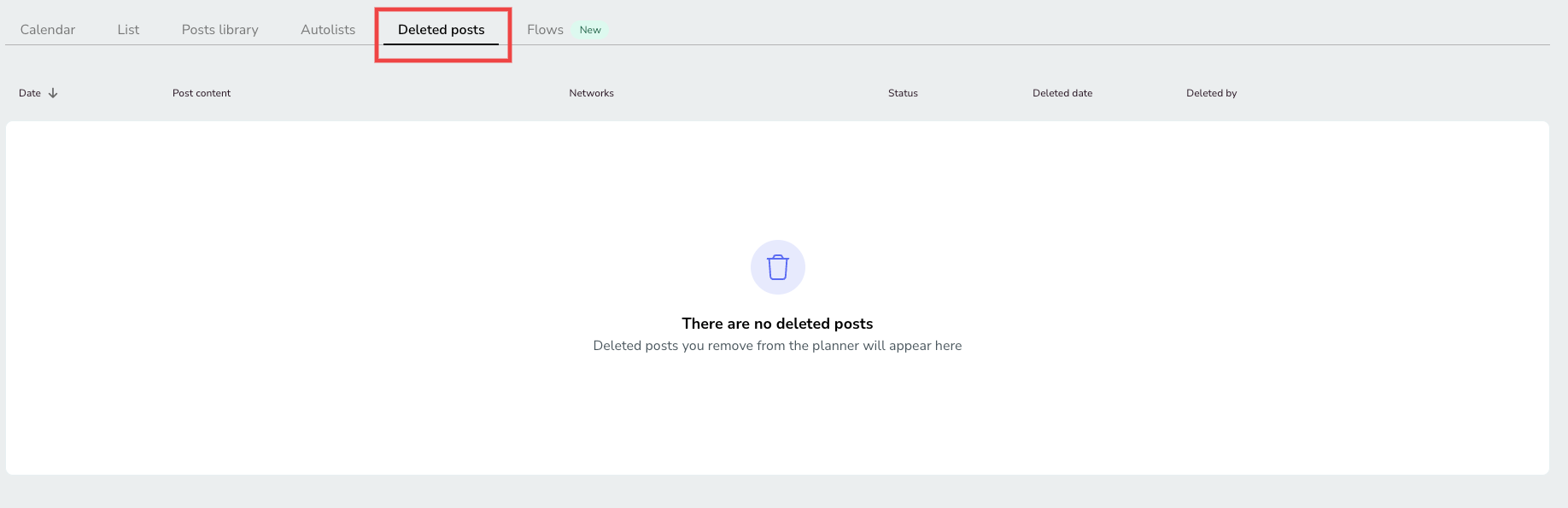
Check Deleted posts
If a post was deleted in Metricool, it moves out of the calendar and can be restored for up to 45 days.
Open Planning.
Open Deleted posts.
Select the post and choose Restore post.
Restored posts return with the same date and status they had before deletion. Only posts deleted within the last 45 days appear in the list. See How to recover deleted posts in Metricool for the full recovery workflow.
If your post is visible in the planner but does not publish, see Why a post appears as published but is not visible on the social network
FAQs
Does Metricool autosave my posts?
How long is the temporary copy available?
If you close the tab or the browser without saving, the copy stays in that same browser for 24 hours, so you can continue editing your post.
What happens to the temporary copy if I choose Accept in the warning message?
We delete the copy and the post cannot be recovered.
How do I make sure I don't lose my post?
Save it, schedule it, or publish it before you leave the composer.
Related articles
Was this helpful?
Was this helpful?