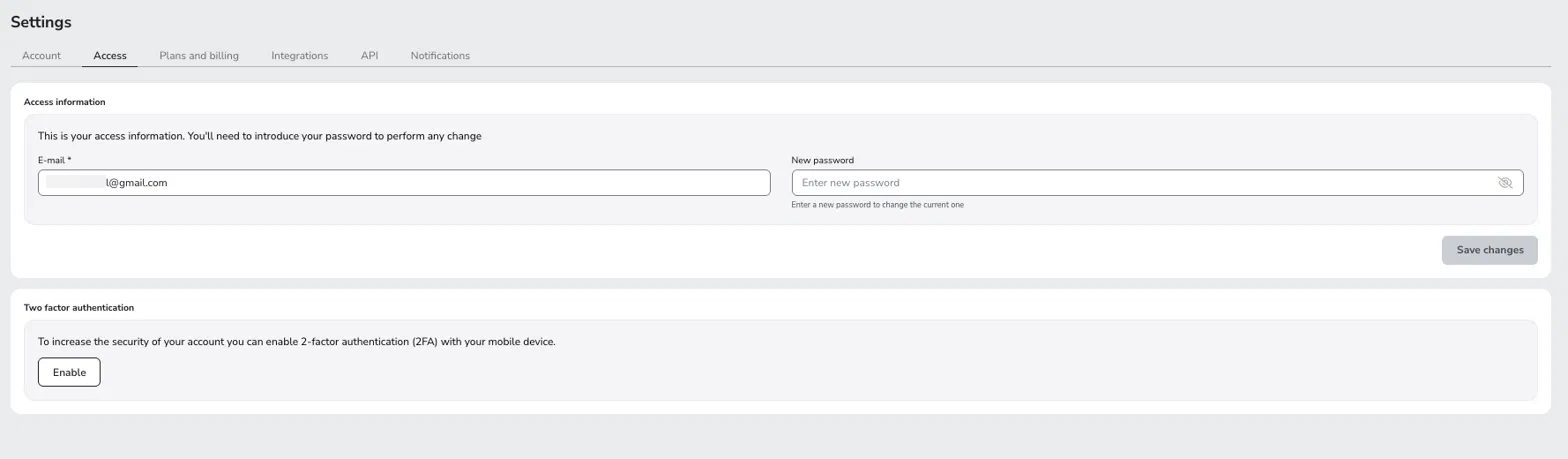
Yes. You can change it at any time from the Access tab, and the new email takes effect as soon as you confirm the change with your current password.
If you update your email, you won't be able to log in to Metricool with the old one. You also won't be able to sign in through Google or Facebook linked to that email.
You can't use an email address that is already in use in another Metricool account. You need your current password to confirm the change, so if you don't remember it, recover it first.
Open the Access tab.
In E-mail, replace the current address with the new one.
Click Save changes.
In Confirm changes, enter your current password and click Confirm.
We don't send a verification email to the new address, so check it before you save. We send an informational notice to your old address to tell you that your credentials changed. You don't need to confirm anything there.