
Manage your account settings
Manage your login details, preferences, plan, integrations, API token, and notifications from Account settings. Open the menu at the top right by clicking the ☰ icon, select Account settings, then choose a tab.
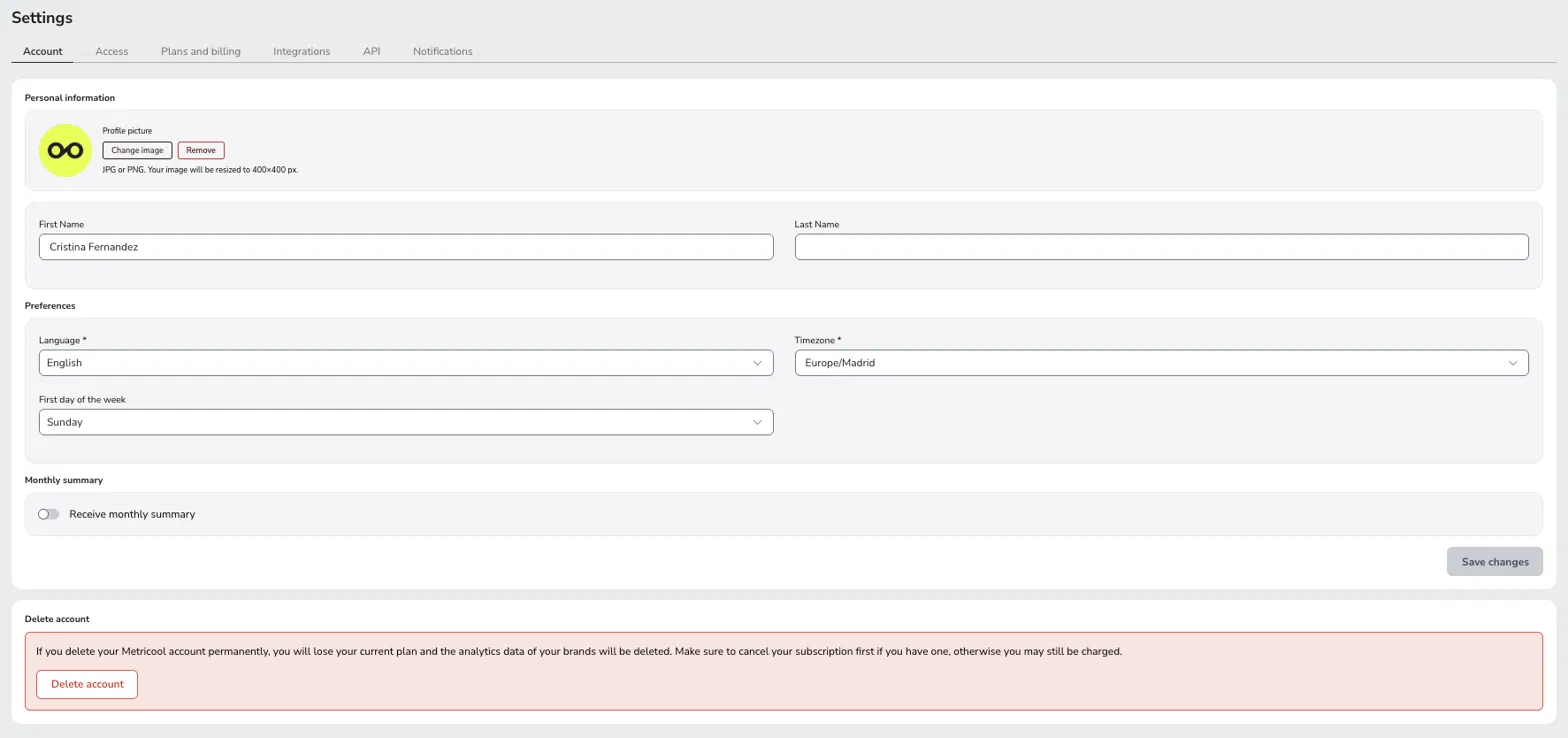
What you can do in each tab
Account settings has six tabs. Find the one that matches what you want to change.
Tab | What you can do | Learn more |
|---|---|---|
Account | Edit your name and profile picture, set your language, timezone, and first day of the week, turn the monthly summary on or off, and delete your account. | |
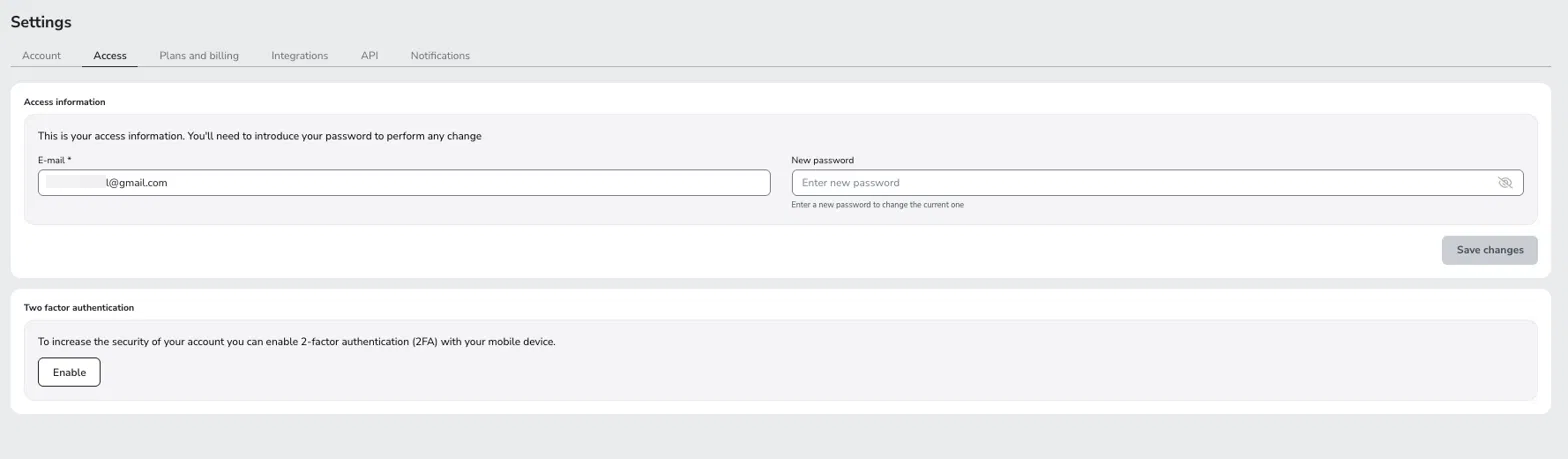
Access | Change your login email or password, and enable two-factor authentication. | |
Plans and billing | See your current plan, next payment, and payment method, manage add-ons, review your payment history, and edit your billing information. | |
Integrations | Connect Claude, Canva, Google Drive, Make, Zapier, or Adobe Express. See every third-party app with access to your account, including MCP connections, each labeled Recognized or Not verified, and remove access for any of them. | |
API | Copy your REST API access token and check your API calls and the endpoints you use. The token is included in Advanced and Custom plans. | |
Notifications | Choose which notifications you get in the app and by email, or turn off all emails. | Manage your notification preferences, types of notifications |
FAQs
Can I change my login email?
Yes. You can change it at any time from the Access tab, and the new email takes effect as soon as you confirm the change with your current password.
If you update your email, you won't be able to log in to Metricool with the old one. You also won't be able to sign in through Google or Facebook linked to that email.
You can't use an email address that is already in use in another Metricool account. You need your current password to confirm the change, so if you don't remember it, recover it first.
Open the Access tab.
In E-mail, replace the current address with the new one.
Click Save changes.
In Confirm changes, enter your current password and click Confirm.
We don't send a verification email to the new address, so check it before you save. We send an informational notice to your old address to tell you that your credentials changed. You don't need to confirm anything there.
I didn't receive a verification email at my new login email
We don't send one. The change applies as soon as you confirm it with your current password, so you can log in with the new email right away.
Does changing my login email trigger a verification code?
No. The verification emails we send are the activation email when you sign up, the code for a login from a new device or country, and the code you need to create Ads campaigns. None of them is sent when you change your email.
How do I change my password?
Enter a new password in the Access tab, click Save changes, and confirm with your current password. If you don't remember it, use the recovery flow described in How to recover or change your Metricool password.
How do I change the language, timezone, or first day of the week?
Choose your values under Preferences in the Account tab and click Save changes. You can also switch the language from Language in the ☰ menu at the top right.
Which languages is Metricool available in?
You can use Metricool in eleven languages:
English
Spanish
French
Portuguese
German
Italian
Danish
Dutch
Czech
Turkish (BETA)
Japanese (BETA)
Choose your language under Preferences in the Account tab, or from Language in the ☰ menu at the top right.
How do I add or change my profile picture?
In the Account tab, under Personal information, click Change image to upload a new picture or Remove to delete it. The image must be a JPG or PNG and is resized to 400×400 px. A profile picture makes it easier to recognize team members, especially in larger teams or when several users have similar names.
How do I turn the monthly summary on or off?
Use the Receive monthly summary switch in the Account tab. You can also manage it as Monthly recap in the Notifications tab. See How to activate your monthly summary in Metricool for both options.
How do I connect, reconnect, or disconnect Canva?
Open the Integrations tab and find Canva in the list of integrations. From there you can connect your Canva account, reconnect it if your files stop loading, or disconnect it. To use your designs in a post, see Import Content from Canva to Your Posts.
How do I connect, reconnect, or disconnect Google Drive?
Open the Integrations tab and find Google Drive in the list of integrations. From there you can connect your Google account, reconnect it if your files stop loading, or disconnect it. To use your Drive files in a post, see Google Drive integration.
How do I remove an app's access to my account?
In the Integrations tab, find the app under Connected apps and click Remove access. Every third-party app with access to your account appears there, including MCP connections, labeled Recognized or Not verified. Remove access for any app you don't recognize.
How do I delete my account?
In the Account tab, click Delete account. Deleting your account is permanent: you lose your current plan, and the analytics data of your brands is deleted.
Cancel your subscription before you delete your account. Otherwise you may still be charged.
Related articles